Ways of using Object Storage S3 resources
Introduction
The S3 protocol is a fairly common way of communicating with the object storage space, and there are all sorts of tools and software that can potentially be used. The descriptions we give in this tutorial are intended to show the possibilities using two selected tools. We hope that they will be a good starting point for further work with object-oriented storage space. In the document, we provide the method of use:
tools S3Express - paid, 21 day free trial
tools rclone - open source, free, MIT licence In addition, we provide how to configure the tool s3cmd - free, very popular in Linux environments, and the window application S3 Browser.
Access data
Access Key ID = xxxxxxxxxxxxxxxxxxxxxxxxxxxxxxxx
Secret Key = xxxxxxxxxxxxxxxxxxxxxxxxxxxxxxxxxxxx
Endpoint = s3.atman.pl or s3-2.atman.pl
Do nawiązania połączenia między klientem a przestrzenią obiektową potrzebne są trzy powyższe informacje. Dane dostępowe będą dostępne z poziomu Strefy Klienta https://strefaklienta.atman.pl.
Space limits
Your test environment has set the following limits:
Space available = <zgodnie z Państwa zamówieniem>
Maximum single bucket space = Available space as above
Maximum number of buckets = 1000
Bucket is the overarching, first object in a tree structure in which other objects (folders and files) can then be created/uploaded.
S3Express
S3Express is command-line utility software designed to work in Windows environments.
Official website: https://www.s3express.com/
Preparation, configuration
STEP 1
Software installation
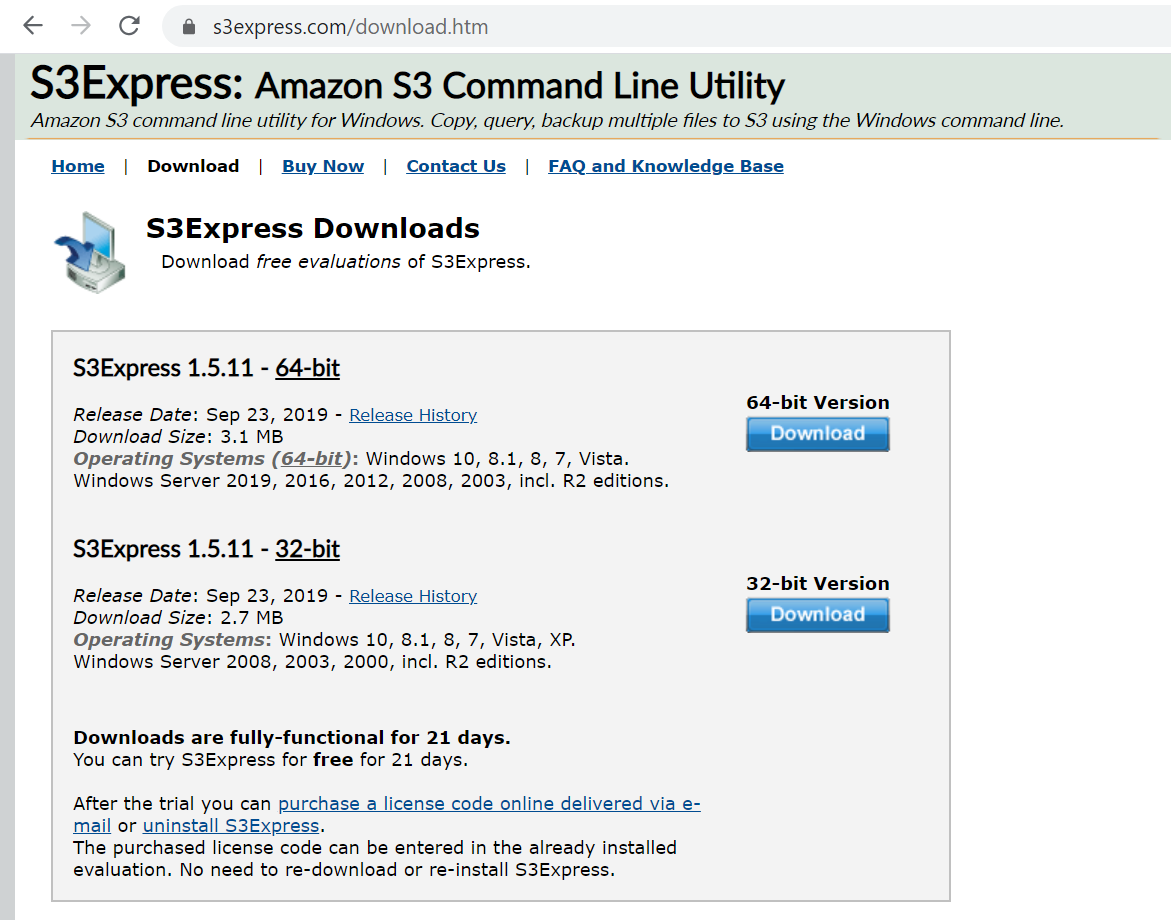
From the website, download the software and then install it on the local machine/server where it will be used.
STEP 2
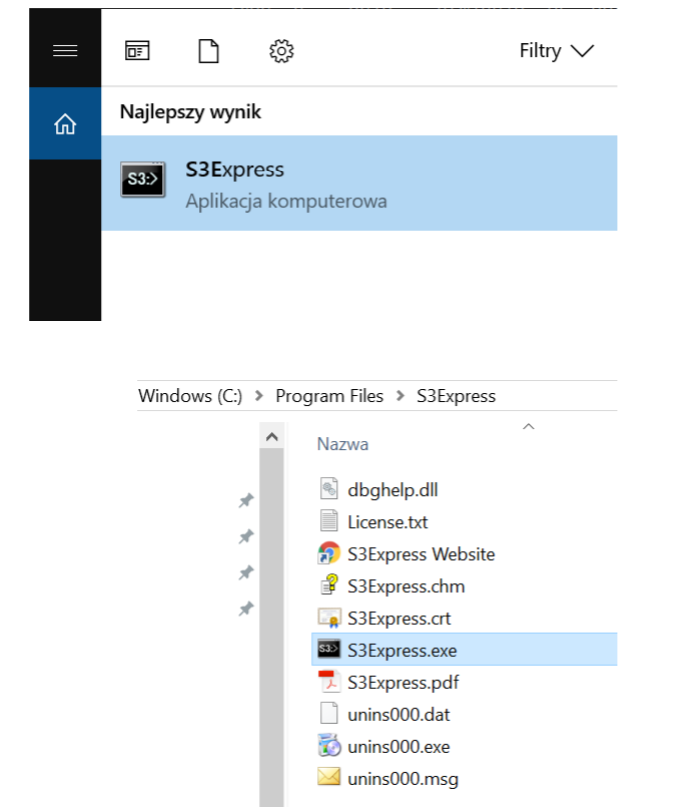
Startup.
STEP 3
Methods of use.
The software can be used in two modes:
window by issuing instant commands:
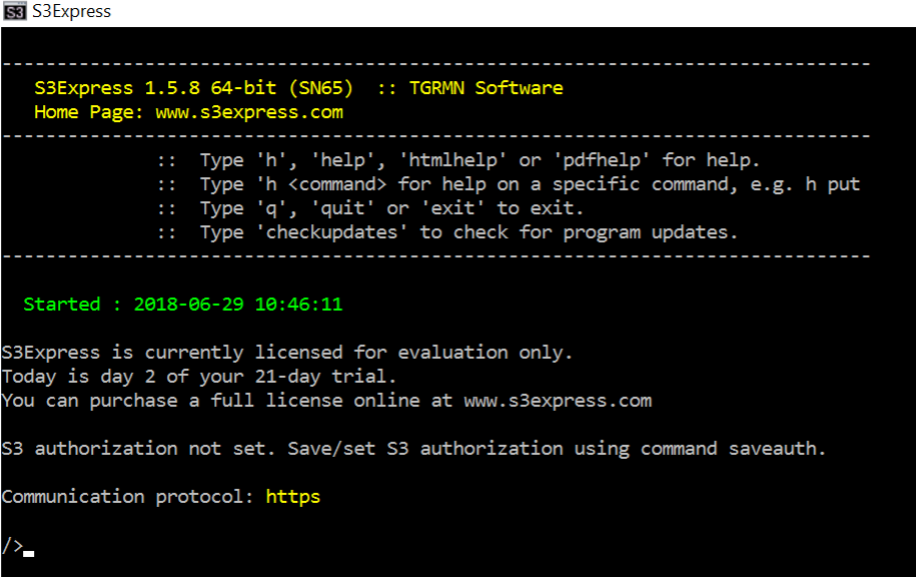
from the console or in a script:
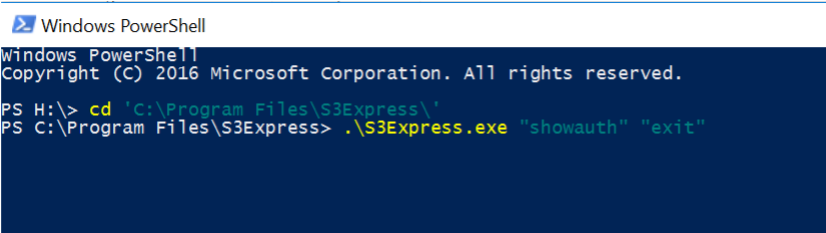
In this case, two commands were redirected to S3Express: showauth and exit.
STEP 4
Configuring the connection to Atman Object Storage:
The saveauth command must be invoked, specifying the access data Access and Secret and giving a custom name for this authorisation entry (here: atmanobjectstorage).
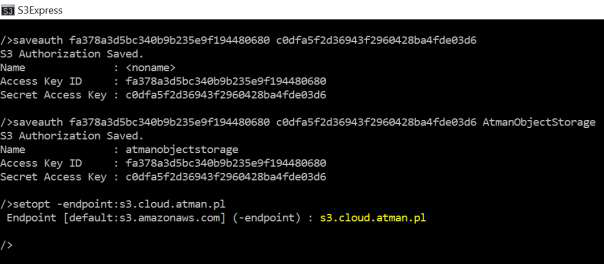
The endpoint must then be set to the indicated address in the access data (s3.cloud.atman.pl / s3.atman.pl). To do this, you need to use the setopt command with the -endpoint flag:
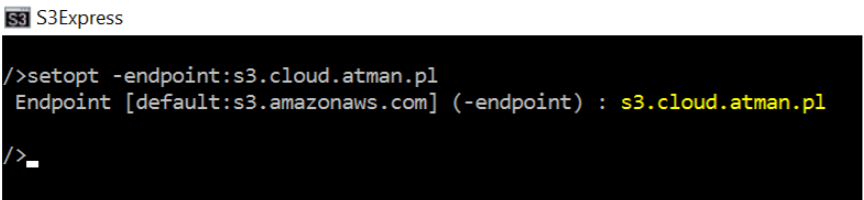
We then enter the commands:
/ > setopt -useV4sign:off
/ > setopt -region:waw2
S3Express is now ready to communicate with your facility space.
Use
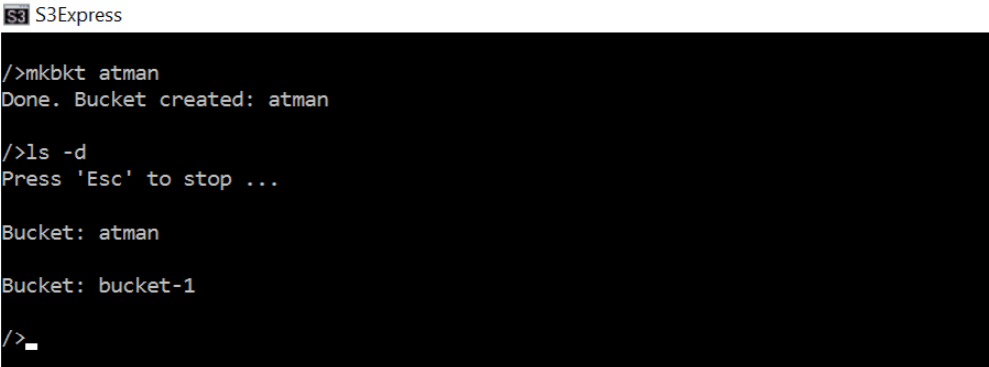
Creating a bucket
Follow the command mkbkt
Copy the entire structure of a selected local folder
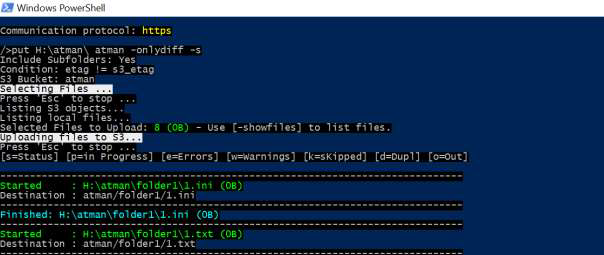
In this example, there are two folders with several .txt and .ini files on the network H drive. The put command performs the upload of objects to object storage. The s flag ensures recursive copying (the entire structure), while the onlydiff flag copies only other files (understood as those with a different MD5 value). Here a command executed from within Windows PowerShell:

All options for this command are available online:
https://www.s3express.com/help/help.html
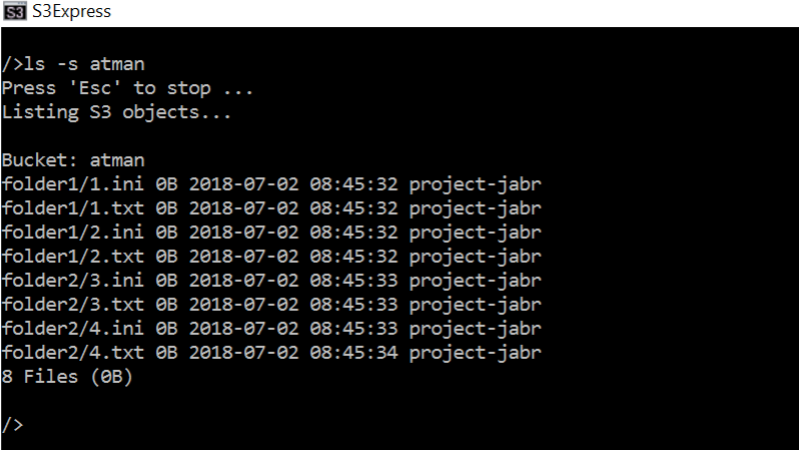
List of contents of bucket
The ls -s command
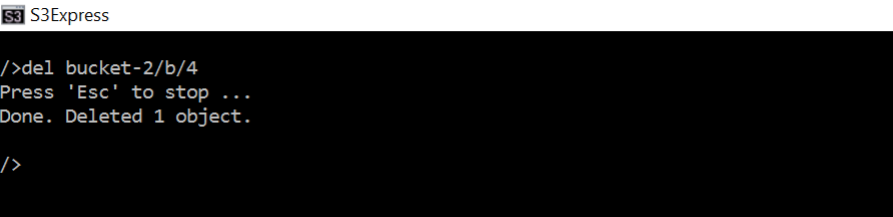
Removal of selected item
Command del <plik do usunięcia> :
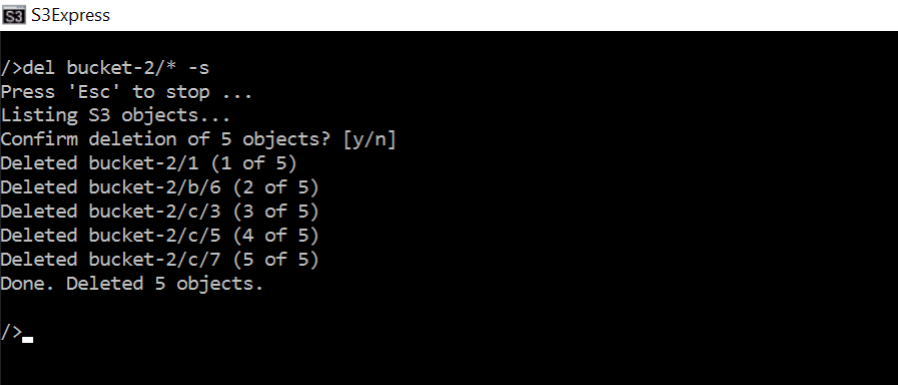
Removing all content recursively:
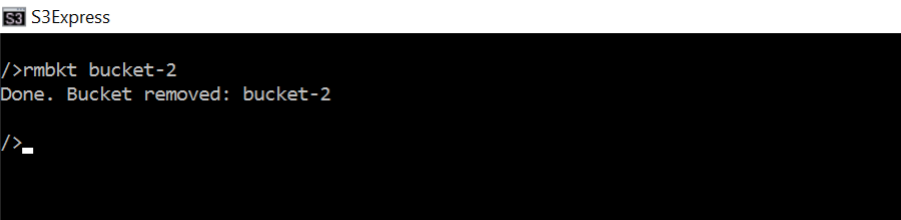
Bucket removal:
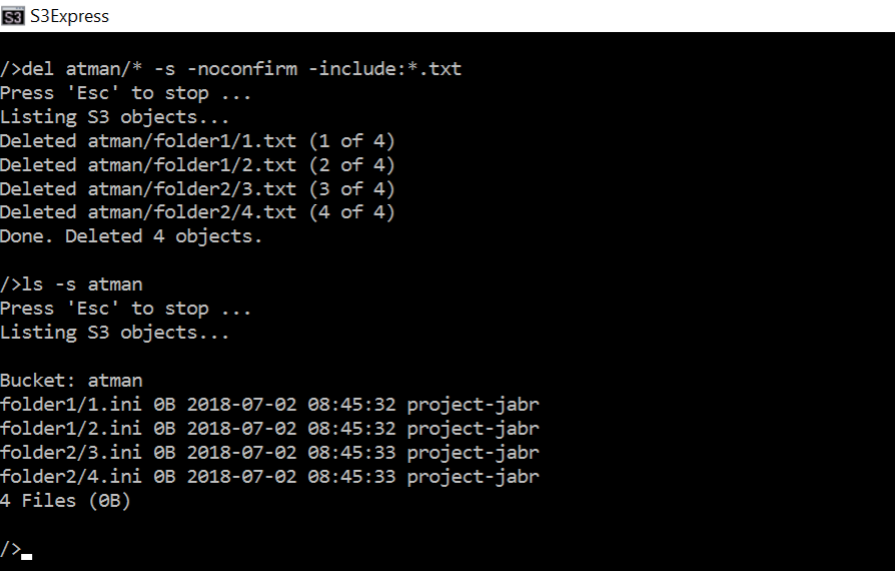
Delete files that meet the filter criteria:
Removing files with a .txt extension from the entire content of the atman bucket
Please note the “-nonconfirm” flag, which causes the programme not to request confirmation of the deletion.
rclone
Free, open source software, available under MIT licence
https://pl.wikipedia.org/wiki/Licencja_MIT
Official website
Preparation, configuration (here in Windows environment)
STEP 1
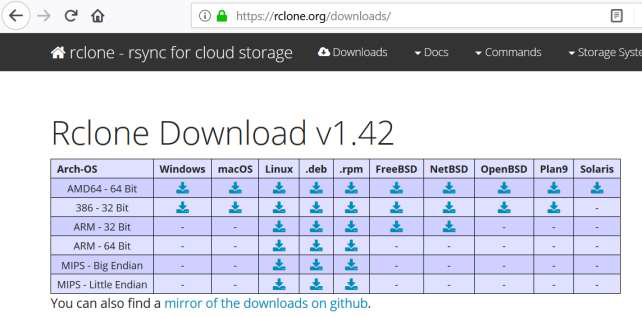
Software download
STEP 2
Unzip the downloaded zip file.
STEP 3
In PowerShell, navigate to the folder with the rclone files. and then run the configuration wizard as follows:

We enter “n”, which means that the configuration of a new remote - a remote storage space - will take place.
We then enter any name (here the name will be atman).
STEP 4
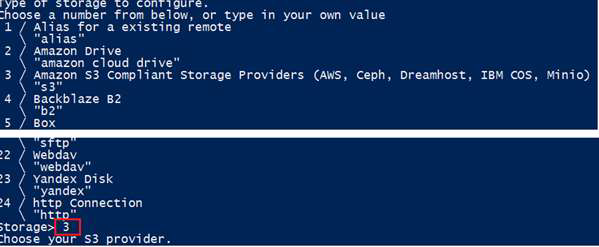
At this stage you need to select the type of storage - choose “Amazon S3 Compliant Storage.” by entering 3
STEP 5
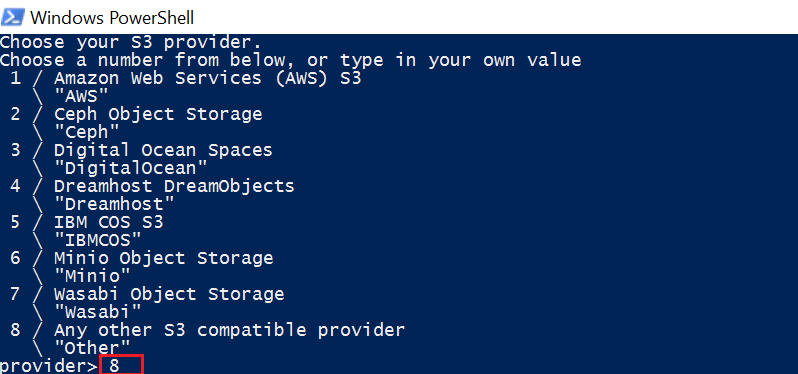
Select a different S3 provider by entering the value 8:
STEP 6
Select 1 and then enter the access data Access and Secret:
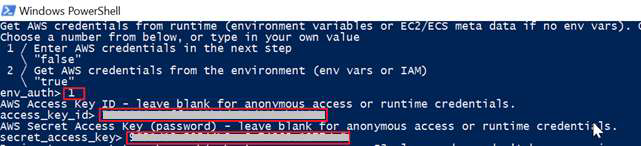
STEP 7
At this stage, select “other-v2-signature” by entering the value 2:

STEP 8
We enter endpoint “s3.cloud.atman.pl / s3.atman.pl”:

STEP 9
At “location constraint”, leave the value blank, while at acl we select the desired access rights - here we choose the value 1.
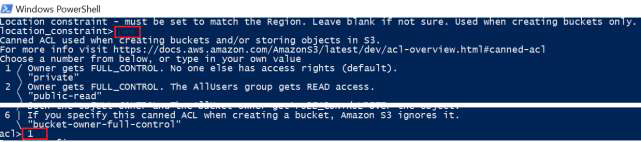
STEP 10
In the next step, confirm the configuration by typing “y” and in the next step, exit the configurator by typing “q”.
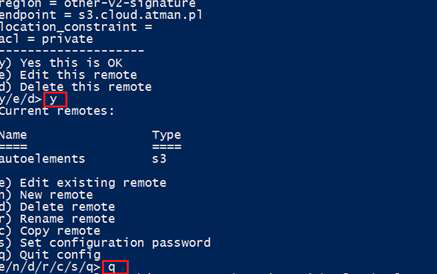
The configuration file is saved by rclone in the location C:Users.configrclone as rclone.conf. Its contents can be edited to change the configuration.
The tool is ready for use.
Use
A list of commands can be found on the website:
From within PowerShell, commands are issued as follows:
> .rclone.exe command
An example of the tree command listing the contents of a bucket in the form of a tree:
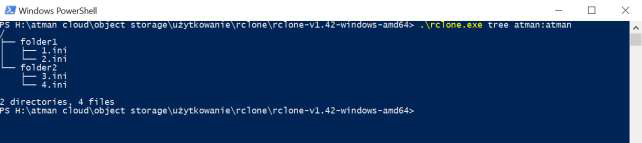
Please note the string “atman:atman”. The first term before the colon indicates the configuration name entered in StEP 3. during configuration. The second member after the colon indicates the name of the bucket. This way of referring to objects is used in all commands.
s3cmd
Official website of the software with list of commands, examples of use: https://s3tools.org/s3cmd
STEP 1
Software installation. By default using the package management system available for the Linux distribution, such as:
apt-get install s3cmd
STEP 2
Configuration. After installation of the software, there is a hidden file .s3cfg in the user’s home directory:
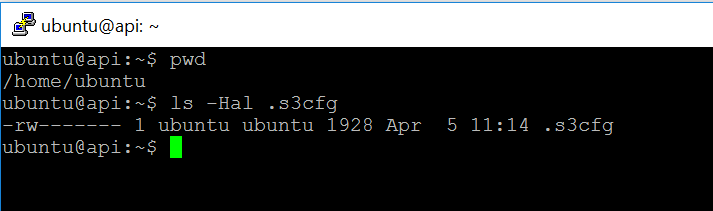
It should be edited and the following parameters changed:
access_key = [here enter the string of characters provided by atman]
secret_key = [here enter the string of characters provided by atman]
signature_v2 = True
host_base = s3.cloud.atman.pl / s3.atman.pl
host_bucket = %(bucket)s.s3.cloud.atman.pl / s3.atman.pl
website_endpoint = https://%(bucket)s.s3website.cloud.atman.pl
or use the command:
s3cmd --configure
The software is ready to use.
S3 Browser
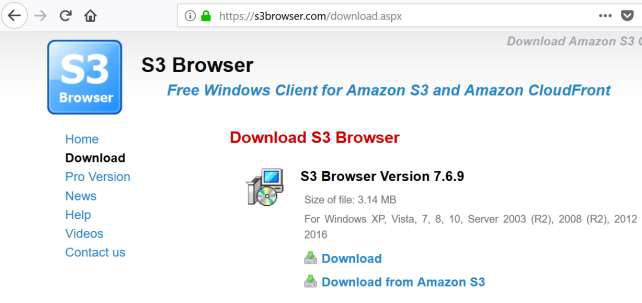
Official website of the software: http://s3browser.com/
STEP 1
The software must be downloaded and installed.
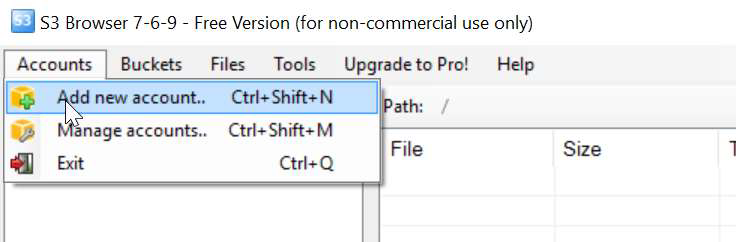
STEP 2
Configuration. Select Accounts from the menu and then Add new account.
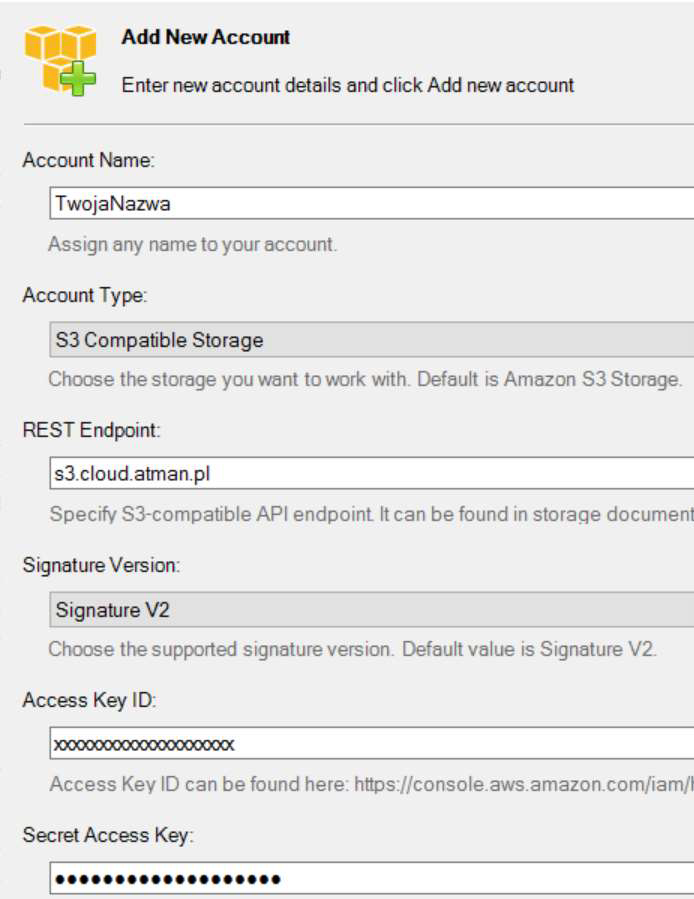
Then:
complete the form with your account name,
Select “S3 Compatible Storage” from the Account Type selection list,
in the REST Endpoint field, enter s3.cloud.atman.pl / s3.atman.pl,
Select “Signature Version” from the Signature V2 selection list,
and finally enter the Access Key and Secret Key.
The tool is ready for use.
AWSCLI
STEP 1
Software installation.
sudo pip3 install awscli
STEP 2
Programme configurations can be made using the command:
aws configure
then fill in the fields:
AWS Access Key ID [None]: [here enter the string of characters provided by atman]
AWS Secret Access Key [None]: [here enter the string of characters provided by atman]
Default region name:
Default output format:
Bucket creation
aws s3api create-bucket --bucket bucket-test --endpoint-url https://s3.cloud.atman.pl / https://s3.atman.pl
Copying files
aws s3 cp test-file.txt s3://bucket-test/test-file.txt --endpoint-url https://s3.cloud.atman.pl / https://s3.atman.pl
Display file list
aws s3 ls s3://bucket-test --endpoint-url https://s3.cloud.atman.pl / https://s3.atman.pl
File deletion
aws s3 rm s3://bucket-test/test-file2.txt --endpoint-url https://s3.cloud.atman.pl / https://s3.atman.pl
Information on space consumption
s3cmd du s3://example-bucket
aws s3 ls s3://example-bucket --recursive --human-readable --summarize
Configuration of automatic deletion of multiparts
We download and save the current policy contents to a file. If we do not have any policies, we create our own.
aws s3api get-bucket-lifecycle --bucket bucket-test --endpoint-url https://s3.cloud.atman.pl / https://s3.atman.pl > lifecycle.json
Example of a file that will allow multipart files to automatically delete themselves after 3 days.
{
    "Rules": [
        {
            "ID": "PruneAbandonedMultipartUpload",
            "Status": "Enabled",
            "Prefix": "",
            "AbortIncompleteMultipartUpload": {
                "DaysAfterInitiation": 3
            }
        }
    ]
}
Inserting a policy file into the configuration
aws s3api put-bucket-lifecycle --bucket bucket-test --lifecycle-configuration file:///root/lifecycle.json --endpoint-url https://s3.cloud.atman.pl / https://s3.atman.pl
Overview of current policies:
aws s3api get-bucket-lifecycle --bucket bucket-test --endpoint-url https://s3.cloud.atman.pl / https://s3.atman.pl
More about this programme can be found on the supplier’s website.
https://docs.aws.amazon.com/AWSCloudFormation/latest/UserGuide/AWS_S3.html