Network configuration
This chapter describes how to assign a network to a server in the Customer Panel, as well as the rules for using IP addressing, DNS, the internal network and Anti-DDoS protection. The method of connecting the server depends on the service ordered. The Atman environment supports a standard network model as well as a variant with interface redundancy, offered as an additional paid service called ‘New Architecture’.
The differences between these environments relate primarily to:
how to connect the server to the network infrastructure,
the number of interfaces used,
the method of implementing redundancy,
the potential applications of LACP,
the range of additional network features available as part of the service ordered,
the method of assigning public and private addresses.
Before changing the settings, you should check the parameters for the specific service. You should not transfer the configuration from another server without checking the compatibility of the architecture and the variant you have ordered. Assigning a network in the control panel and configuring the IP address in the operating system are separate procedures.
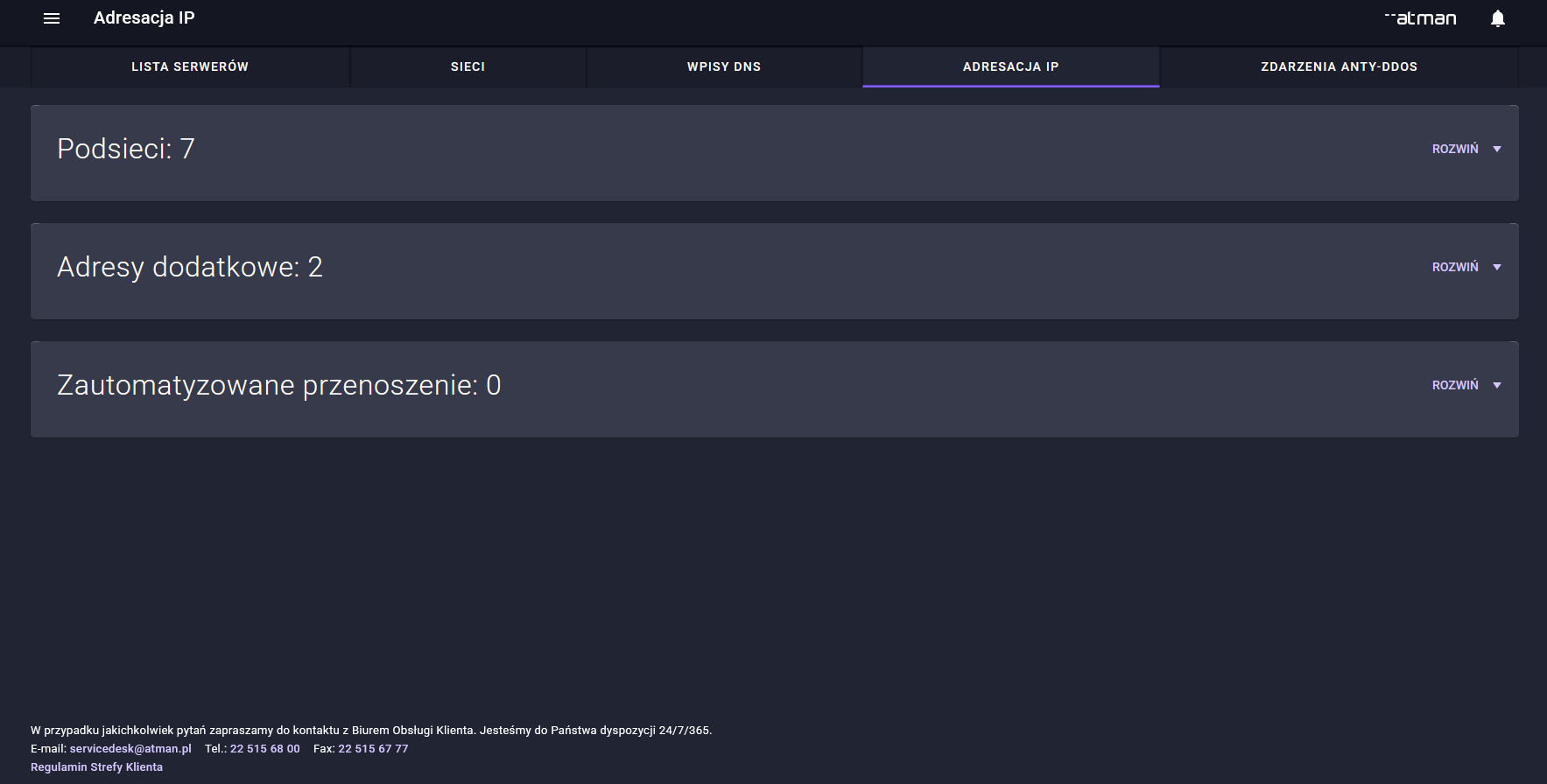
Public IP address
A server requiring internet connectivity is assigned a public IP address in accordance with the service package ordered.
For the public network ordered, the Customer receives the parameters required for configuration, in particular:
an IP address or a range of IP addresses,
a prefix or a network mask,
information regarding the gateway or the routing method,
IPv6 addressing, if provided as part of the service.
IP addressing is provided natively, without the need for the customer to configure VLAN tagging.
A public IP address is associated with a public network. This network is then assigned to the server’s interface. It is important to distinguish between this assignment in the control panel and the IP address settings in the operating system.
In the standard network model, a public network is assigned to the interface of the server serving that network. In the New Architecture service, in the redundancy and LACP variant, the configuration must take into account the interfaces belonging to the aggregation; in the operating system, the IP address is configured on the appropriate logical interface. The same address must not be assigned independently to the ports comprising the aggregation.
Before saving the change in the control panel, you should check the selected server, network and interface. Changing the network assignment may interrupt access to the server and require adjustments to the operating system settings.
When working in the panel, you should avoid the following errors:
przypisania adresacji do niewłaściwej sieci,
selecting a network other than the one ordered for the service in question,
assigning a network to the wrong server or interface,
disconnecting the existing network without setting up a new access path.
After changing the network assignment in the control panel, you should check that the IP settings in the operating system are consistent with the parameters of that network. Detailed configuration of the operating system is beyond the scope of this control panel user guide.
A public IP address means that services running on the server can be accessed from the Internet.
For this reason, it is recommended that:
running only essential services,
restricting access to administrative ports,
the use of a firewall,
restricting administrative access to trusted IP addresses,
regularly updating the system and applications,
the use of secure communication protocols.
If you need to order additional IP addresses, please contact your Atman Account Manager.
Network interface management
When assigning a network in the control panel, you must select the interface appropriate for the service in question. A server may have several physical ports, but not all of them are used for independent connections to the public network.
Depending on the architecture, ports may:
support various networks,
work independently,
create an aggregation,
ensure redundancy,
operate Q-in-Q in the configurations provided for this function.
Before changing the network assignment, you should verify the interface based on its MAC address and service parameters. The availability of Q-in-Q on the infrastructure side does not mean that the panel allows you to configure VLANs or Q-in-Q.
Before saving the settings, please check the following:
server ID,
the network to be assigned,
the interface and its MAC address,
the role of the interface in the service option ordered,
the impact of the change on server access.
Once you have saved the change, you should verify the network assignment in the control panel and check that communication with the server is working. If the change requires adjustments to the operating system settings, you should also ensure that these settings are retained after a restart.
Before making any changes that could interrupt connectivity, ensure that a remote management console, such as IPMI or XCC, is available, in accordance with the equipment and service terms.
Interface redundancy and LACP
Interface redundancy is a service subject to an additional charge. In the package you have ordered, the server can be connected to the network infrastructure via several interfaces, forming a redundant connection.
The main aim of this configuration is to increase fault tolerance:
a single interface,
przewodu sieciowego,
switch port,
one of the components of a network path.
One way of implementing such a connection is LACP, or the Link Aggregation Control Protocol.
LACP allows several physical interfaces to be combined into a single logical interface.
Server-side configuration depends on the operating system or virtualisation platform and the aggregation mechanism supported by it. It must comply with the parameters provided by Atman.
An example of a logical layout for a natively shared network:
NIC1 + NIC2 → LACP aggregation (e.g. bond0) → IP address
Important: LACP is available exclusively in the New Architecture service, in the version designed to support this mechanism.
In configurations without LACP, interfaces may perform other functions, in accordance with the service parameters, for example:
support various networks,
work independently,
establish separate connections to the public and private networks.
When using LACP, you must not:
assign the same IP address to both cards independently,
change network assignments or the composition of an aggregation without taking service parameters into account,
change the bonding mode without taking the infrastructure configuration into account,
enable LACP on a server for which this mechanism has not been made available in the New Architecture service.
LACP requires a consistent configuration on both the server side and the network infrastructure.
Simply having two ports does not mean that LACP can be enabled. If the documentation for a specific service does not specify the aggregation configuration, please contact Atman support before making any changes.
LACP does not mean, either, that a single TCP connection will utilise the total bandwidth of all physical interfaces.
Traffic is distributed amongst the ports using a hashing mechanism. In practice, this means that the higher total bandwidth can be utilised most effectively when there are many parallel data flows.
The main benefit of LACP in a server environment is:
redundancy,
greater resilience to breakdowns,
the ability to utilise several physical interfaces via multiple parallel connections.
DNS Management
DNS enables domain names to be linked to the IP addresses of services. This allows users and applications to use names such as example.pl instead of direct IP addresses.\ \
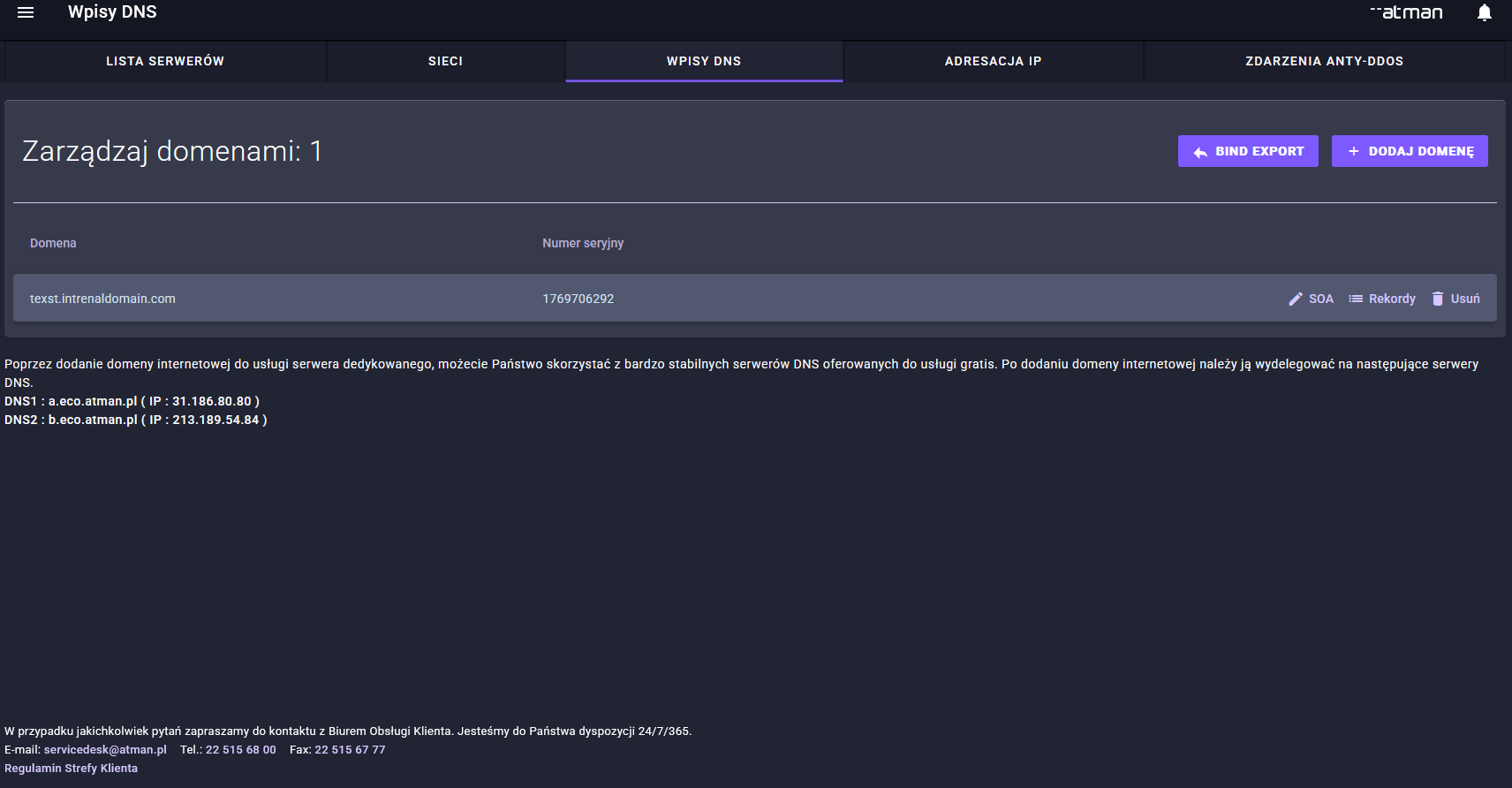
Depending on the domain management model, DNS records can be managed:
On the customer’s side — with their current domain registrar, DNS provider or via an external DNS control panel.
On Atman’s side — if the Customer is using the DNS services provided by Atman or the domain has been delegated correctly.
In external DNS systems — for example, with cloud service providers, CDN operators, application security providers or specialist DNS providers.
The most commonly used DNS records are:
A — resolves a name to an IPv4 address,
AAAA — indicates a name associated with an IPv6 address,
CNAME — points one domain name to another,
MX — specifies mail servers,
TXT — used, amongst other things, for SPF, DKIM, DMARC, domain verification and other security mechanisms.
Changes to the DNS record may not be visible straight away.
The propagation time depends primarily on the TTL value and the caching mechanisms used by DNS servers.
Before a planned change to the service’s IP address, it is recommended that you reduce the TTL in advance. This may shorten the time it takes to switch traffic to the new address.
Internal network
The internal network enables communication between servers and other Client resources without the need to route traffic via the internet.
It can be used, amongst other things, for:
communication between application servers and databases,
transferring backups,
data replication,
communication between cluster nodes,
the development of high-availability environments,
a cluster of several dedicated servers,
communication with the Client’s other services at Atman.
The internal network service is provided via a dedicated physical network interface.
An internal network is no substitute for security measures.
Access between servers should be restricted by means of:
firewall,
systemic rules,
the appropriate configuration of services,
application-level access control.
Anti-DDoS Protection
Anti-DDoS protection safeguards publicly accessible resources against the effects of Distributed Denial of Service attacks.
The aim of such attacks is to overload:
links,
network infrastructure,
the network stack of the operating system,
services running on the server.
The Anti-DDoS service analyses traffic directed at the protected IP address and enables the detection of anomalies characteristic of attacks.
Depending on the nature of the incident, traffic may be routed to a filtering infrastructure.
Unwanted traffic is blocked, whilst legitimate user traffic is forwarded to the protected server.
Protection may cover, amongst other things, attacks such as:
volumetric,
UDP-based,
TCP-based,
using ICMP,
which utilise amplification mechanisms,
which generate a large number of connections or packets.
The specific scope of cover depends on the service option selected.
Anti-DDoS protection operates within Atman’s network infrastructure and does not require any additional software to be installed on the server.
However, it does not replace other safety measures, such as:
firewall,
WAF,
authentication mechanisms,
security updates,
ochrona antymalware,
backups,
poprawna konfiguracja usług.
W przypadku podejrzenia ataku należy sprawdzić:
server availability,
system load,
service status,
active connections,
the availability of individual ports and protocols.
If the problem persists, please report the incident to Atman.
It is worth including the following in your application:
service identifier,
IP address,
the approximate time when the problem began,
the type of service that is unavailable,
port or protocol,
error messages observed,
the results of basic tests, such as a ping, a traceroute or an attempt to connect to a particular service.
Anti-DDoS protection is an additional service. If it was not ordered when the server was set up, you must arrange its activation with Atman.