Server management in the Customer Portal
The Customer Area is the main place where customers can view information about their active dedicated server service and carry out selected administrative tasks relating to its management. The panel provides quick access to contract details, the service’s technical specifications, the server’s status and the management options available for that service.
The range of visible functions may vary depending on the type of service, server configuration, user permissions and the terms of the contract.
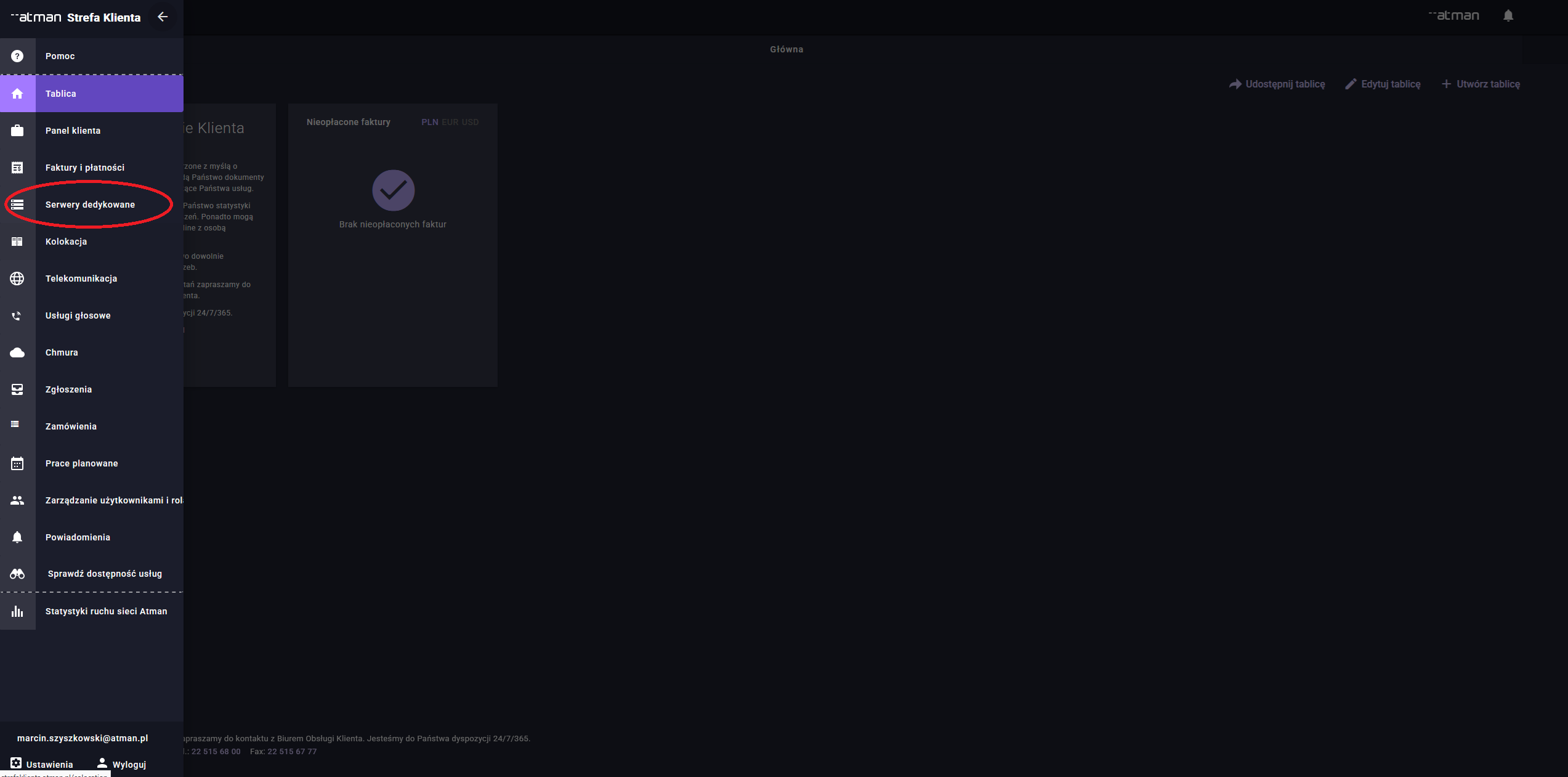
Informacje o usłudze
After logging into the Customer Portal, the user can view the list of active services and select the relevant dedicated server. The service view displays basic information identifying the service in question and its assignment to a contract.
In this section, customers can find, amongst other things:
the name or identifier of the service,
the contract or agreement number to which the server is linked,
the name of the product or service variant,
the date the service was launched,
the location where the service is provided,
information about the assigned IP address or IP addressing,
data relating to the accounting period,
information about additional services related to the server.
The service information view allows you to check whether the customer is using the correct service, particularly in the case of organisations with several dedicated servers or several environments running on Atman.
This section is for information purposes and is particularly useful when submitting technical support requests, as it allows you to quickly indicate which service your enquiry or problem relates to.\ \
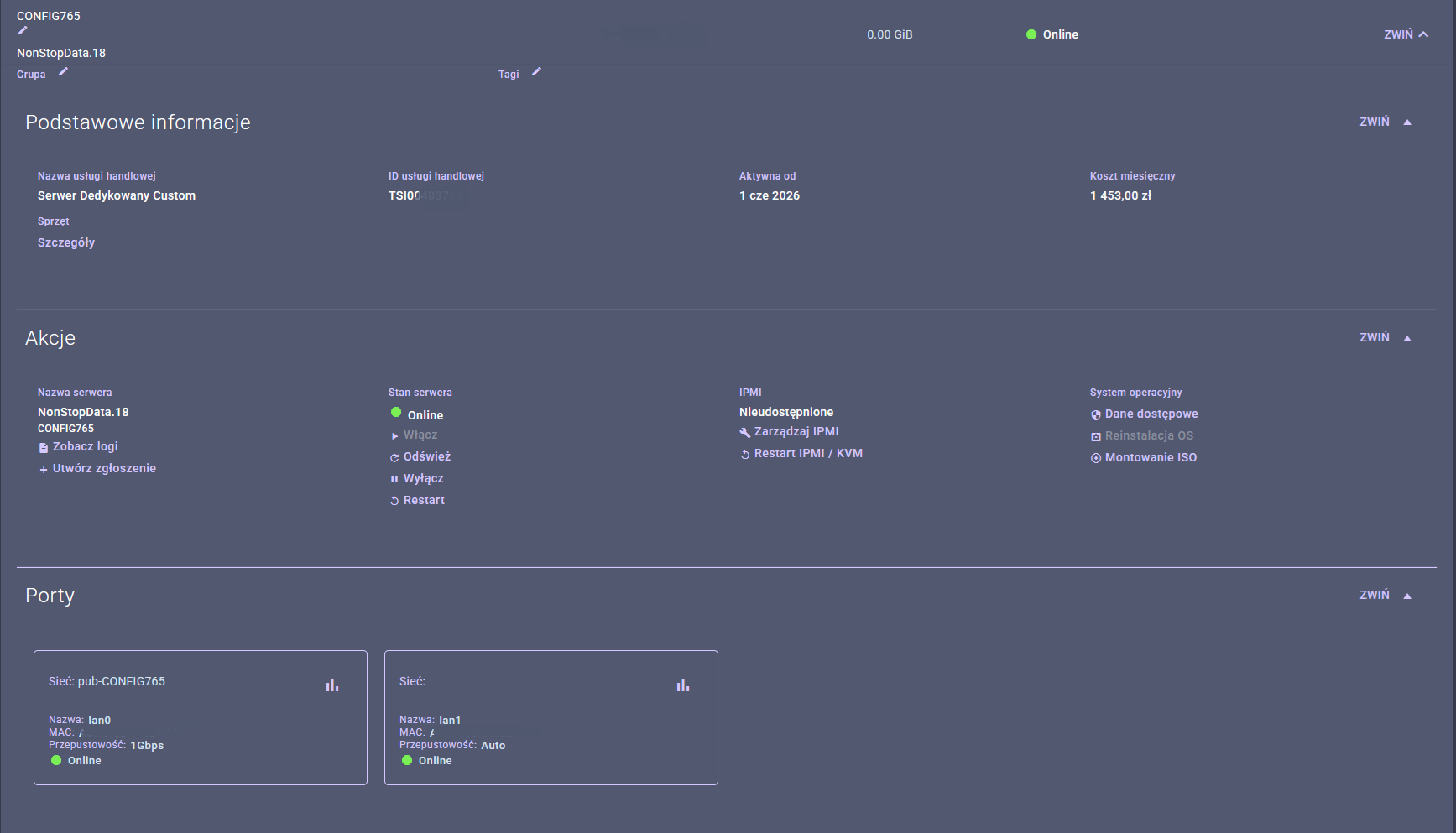
Parametry i status serwera
Under ‘Service Details’, the customer can check the server’s basic technical specifications and its current status as displayed in the Atman systems.\ \
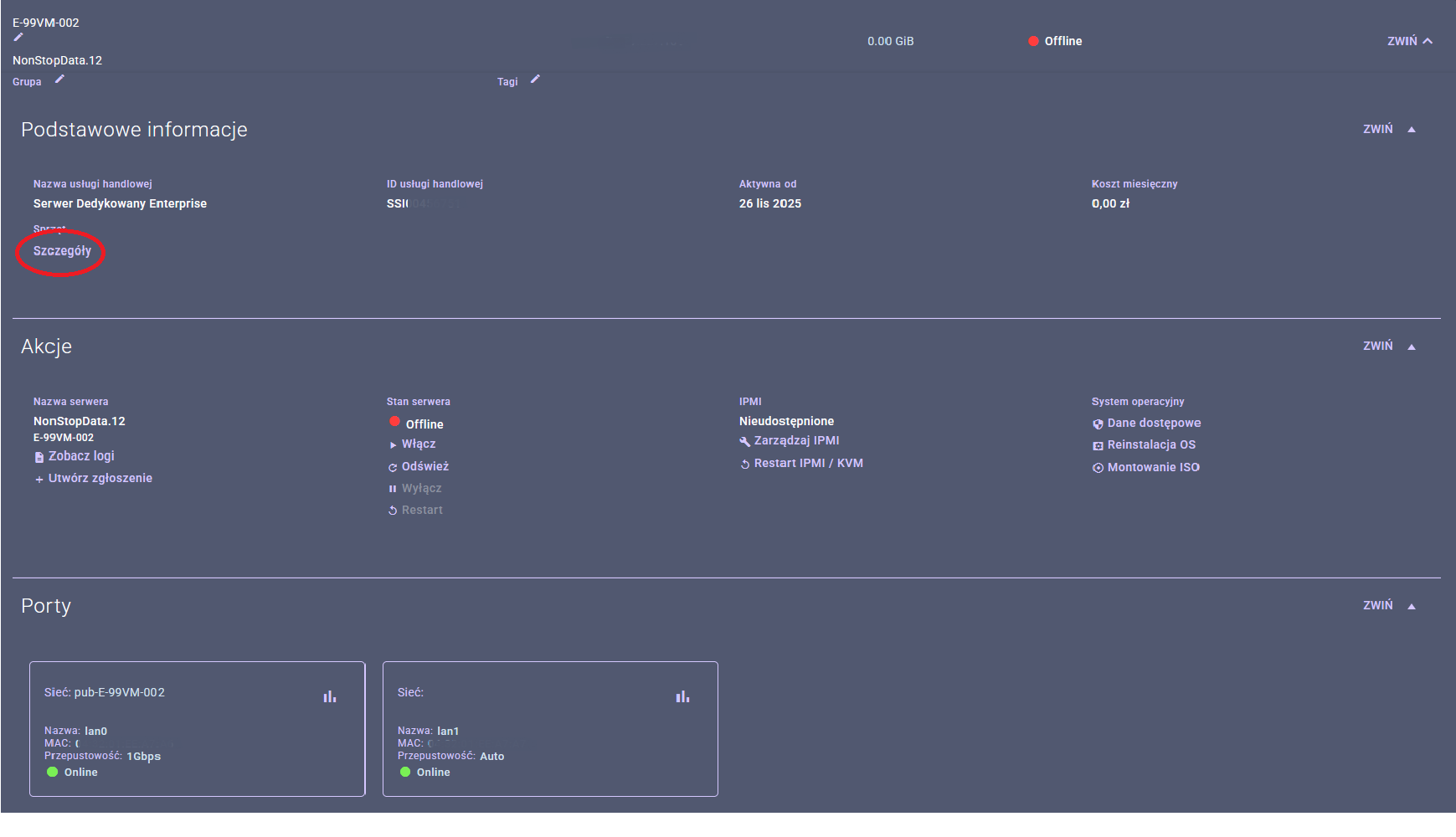
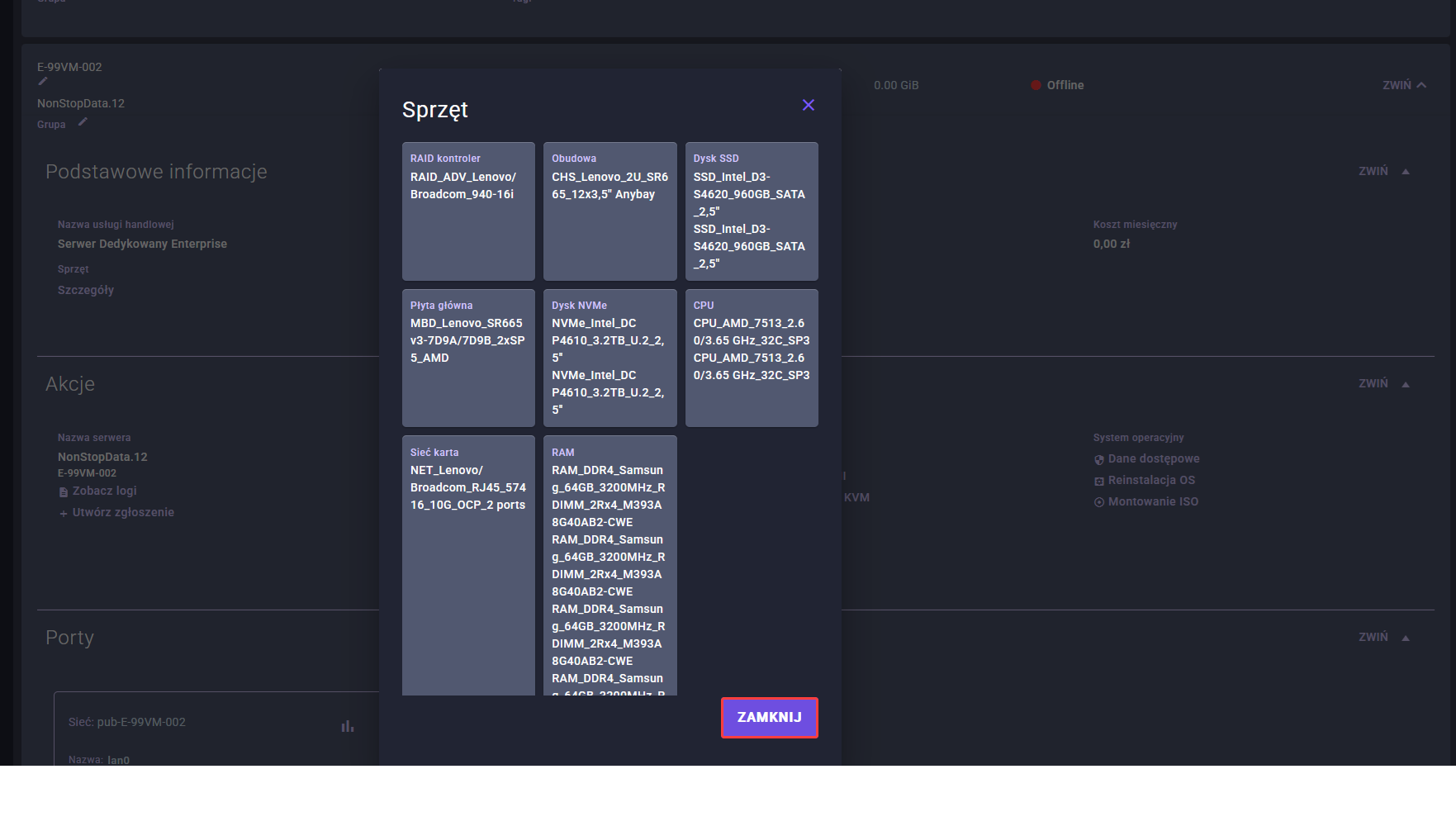
Depending on the service configuration, the following information, amongst other things, may be available:
server model or type,
processor,
RAM,
disks,
network interfaces,
assigned IP address,
link parameters,
service status,
the server’s operational status. \ \
The server status indicates whether the service is active, running, suspended or undergoing a change. This information is important when diagnosing problems with server access or when verifying whether a particular operation has already been carried out.
Please note that the status displayed in the Customer Portal relates to the visibility of the service within the Atman systems and does not indicate the status of the operating system running on the server. For detailed diagnostics of the server itself, the operating system or the machine’s boot process, please use the appropriate administrative tools, such as IPMI or XCC.
Zarządzanie kontraktem i usługą
The Customer Area also provides access to information relating to the contract under which the dedicated server service is provided. This enables the customer to check key billing and organisational details regarding the service.
This section may include, amongst other things:
contract details,
details regarding the duration of the service,
information on the billing model,
list of related services,
informacje o usługach dodatkowych,
the history or status of selected requests and instructions,
the option to request a change to the service parameters.
Contract and service management primarily involves administrative tasks, such as verifying service details, checking the scope of services held, requesting an expansion of the environment, or issuing instructions regarding configuration changes.
Not all changes can be made independently via the Customer Portal. Some operations, in particular changes affecting technical parameters, billing, the duration of the contract or the scope of the service provided, may require you to contact your account manager, the technical support department or to submit a formal request.
Dostępne opcje administracyjne
Depending on the type of service and the scope of the user’s permissions, certain administrative options relating to the management of a dedicated server may be available in the Customer Portal.
Typical administrative options may include:
preview of service details,
checking the server status,
preview of the assigned IP address,
access to technical information,
a link to the data required to manage the service,
reporting a technical issue,
user and role management,
access to the history of reports,
contact technical support,
checking the additional services associated with the server.
The options available in the control panel should be regarded as basic tools for managing the service from an administrative perspective. Technical operations carried out directly on the server, such as operating system configuration, restarting system services, log analysis, software installation or hardware diagnostics via the console, should be performed using the appropriate administrative channels, such as system access, IPMI or XCC.
If a particular function is not visible in the Customer Area, please check whether you have the appropriate access rights for that service. If the problem persists, please contact Atman support or your account manager.