Migration of virtual machines using the vCloud Availability module
Migrating a virtual machine
In order to migrate a machine from vCenter to VMware Cloud Director using VMware Cloud Director Availability, there are several steps to follow:
Step 1
Environmental preparation
Ensure you have access to VMware Cloud Director and VMware Cloud Director Availability (VCDA)
Install and configure the VCDA and integrate it into the vCenter environment accordingly.
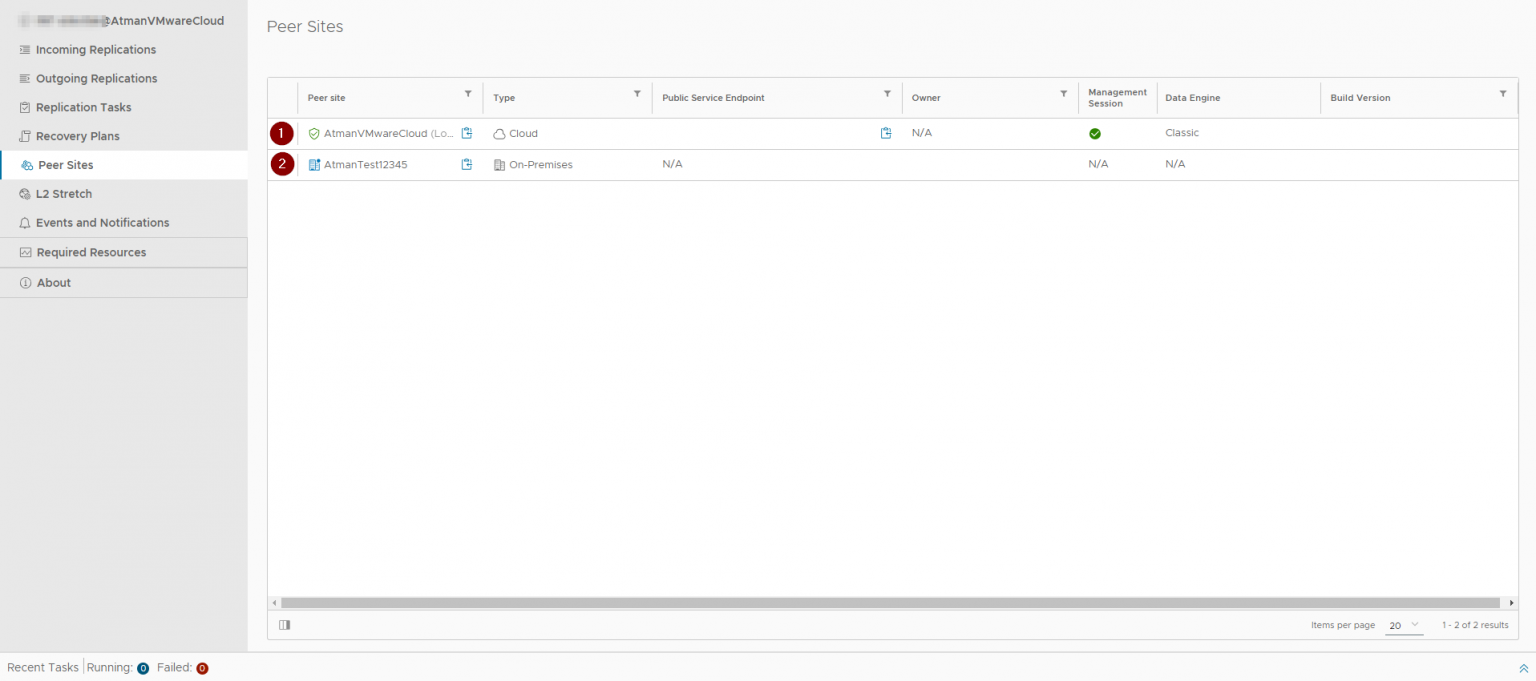
Make sure that on the Peer tab you can see both centres:
Atman VMware Cloud
The vCenter environment (on-premise) from which the migration will be performed
Step 2
Creating replication configurations
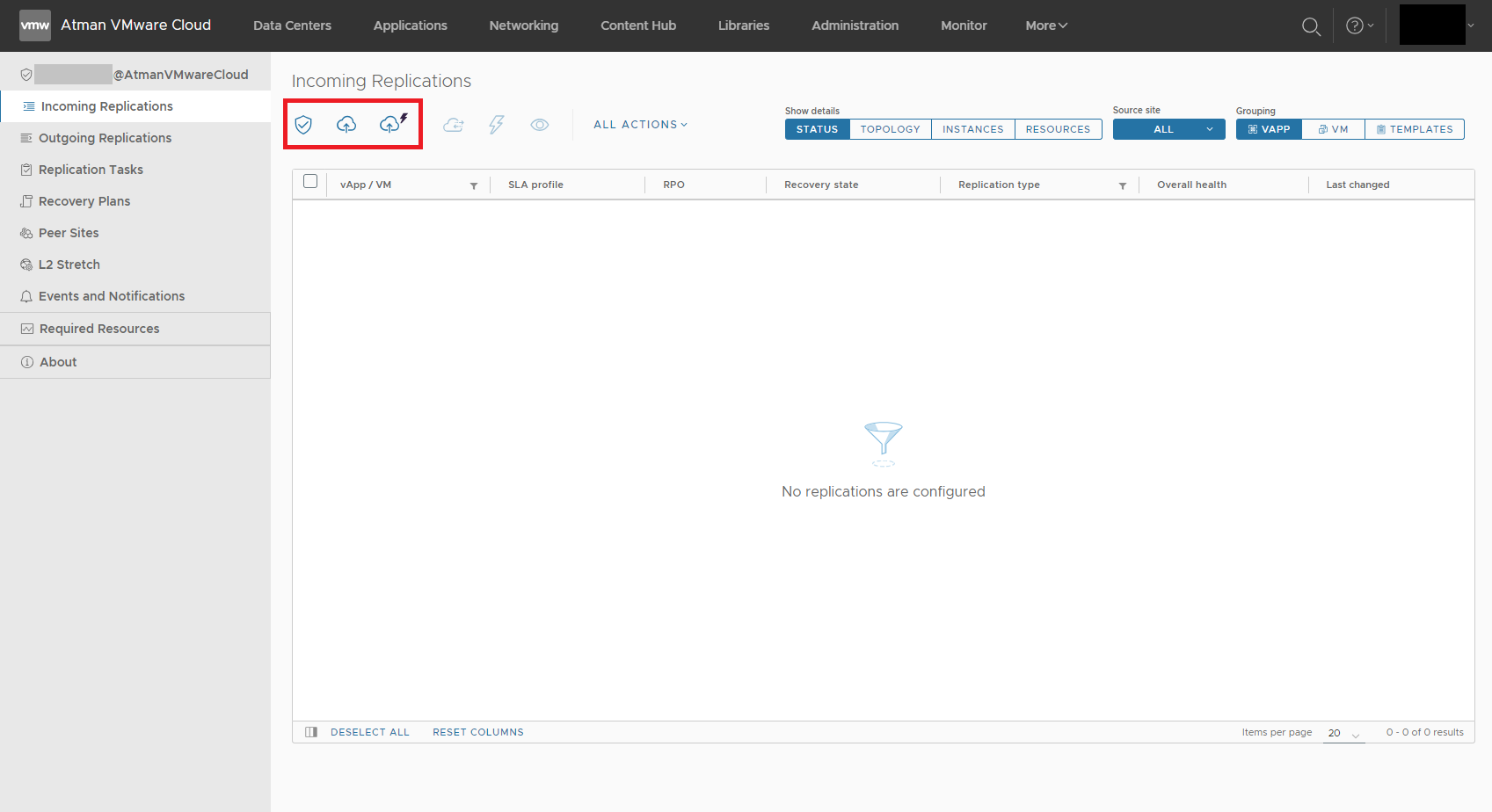
In VCDA create a new replication configuration.
Specify source vCenter and target VMware vCloud Director.
Step 3
Configuration of replication rules
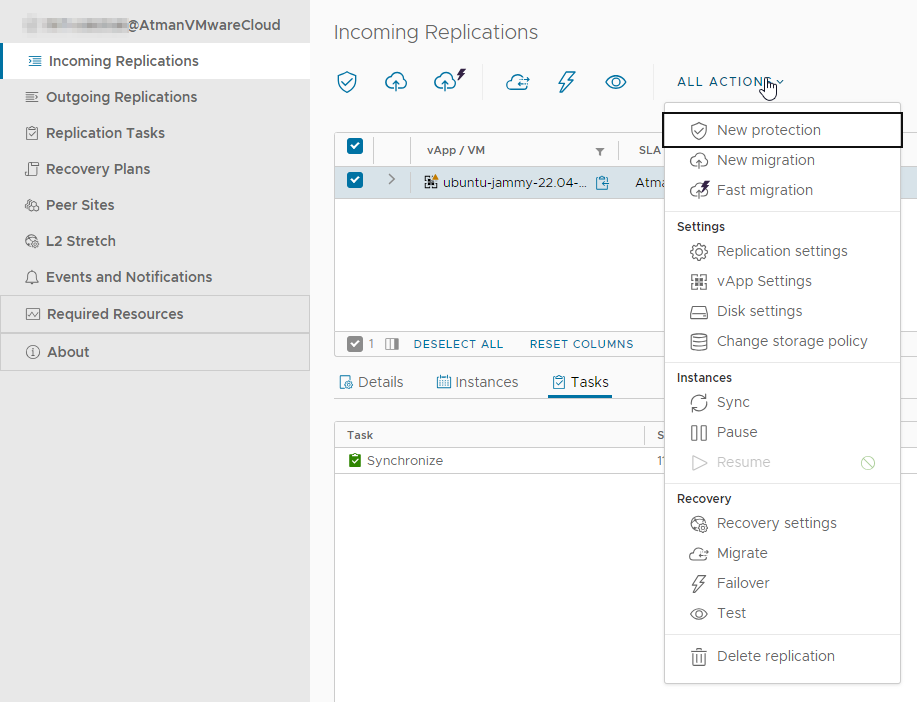
In the replication configuration define which virtual machines are to be replicated and which vCloud Director organisation they are to go to.
Step 4
Starting the replication process
Depending on the selected migration mode, it takes place automatically every specified period or can be started manually.
Step 5
Monitoring of replication
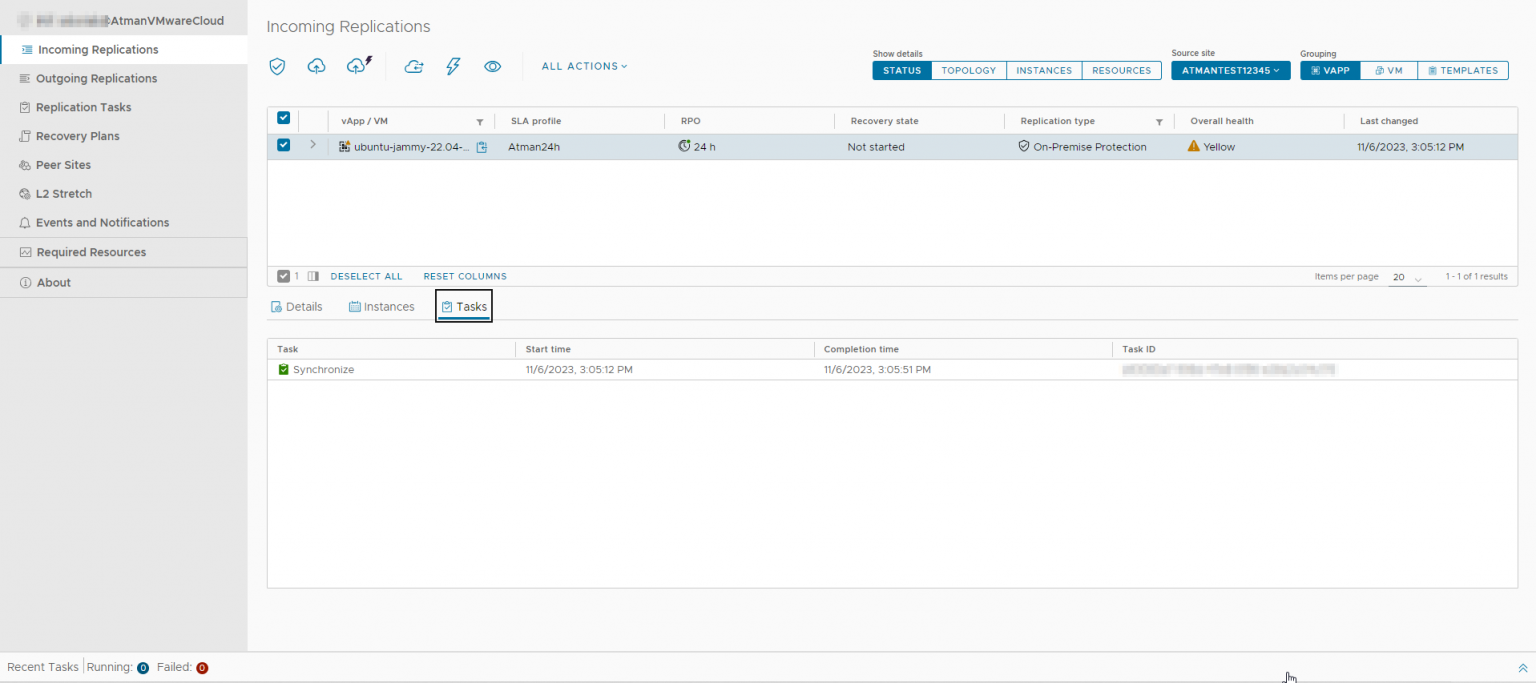
Track the progress of replication and make sure there are no problems or errors.
Step 6
Verification of a virtual machine in the cloud
Once replication is complete, verify that the virtual machine is running correctly in VMware vCloud Director.
Step 7
Testing on target machine
It is recommended to test the virtual machine in the cloud before fully transferring the traffic.
Step 8
Traffic diversion
When you are confident that the machine is working correctly, redirect the traffic to the new virtual machine in VMware vCloud Director.
Step 9
DNS and IP configuration
Assign appropriate IP addresses and configure DNS records to redirect traffic to the new VM.
Step 10
Full migration and continuity
Ultimately, perform a full migration of traffic to a VM in VMware vCloud Director and ensure service continuity.
Step 11
Monitoring and management
Regularly monitor the cloud VM and take care of its management.
Description of possible options for migrating a virtual machine to Atman VMware Cloud
New Protection
The “New Protection “ refers to the process of setting data protection for a virtual machine that has not been replicated before. This is an option that allows you to start replicating a virtual machine that has not previously had data protection.
The ‘New Protection’ process involves defining replication rules, schedules and other parameters that determine how often and where the VM backups will be stored.
This option makes it possible to provide data protection for newly created virtual machines or those not previously covered by replication.
New Migration
“New Migration “ refers to the process of migrating a virtual machine from one environment to another, for example, moving a machine from one VMware ESXi cluster to another, without creating a replication.
This option allows you to move a VM in a more controlled way than replication. It is useful when you want to reposition a VM or move it to another infrastructure without having to keep the data constantly synchronised between the two environments.
“New Migration” does not necessarily require a VM backup or replication, but is more focused on the transfer process itself.
In summary, ‘New Protection’ focuses on data protection settings and the start of the replication process for newly covered VMs, while ‘New Migration’ concerns the migration of a VM between environments without the need for backup or replication. Both processes have their place in the virtualisation environment’s VM management and data protection strategy.
Fast Migration
“Fast Migration “ is typically used when you need to move a virtual machine from one location to another in an instant and with minimal impact on the availability of the virtual machine.
“Fast Migration” is focused on moving a virtual machine from point A to point B efficiently and quickly, with minimal downtime.
This is useful in situations where you do not need to back up the VM or maintain replication, but need to move it to another environment for load balancing, maintenance or other purposes.
Virtual machine replication management

The migration, failover and test options are the three key operations involved in protecting and managing virtual machines in a VMware vCloud Director Availability environment:
Migration
VM migration refers to the process of moving a virtual machine from one environment to another, for example from one VMware ESXi cluster to another or from one data centre to another.
Migration is designed to allow organisations to flexibly manage and utilise virtual resources, and can also be used for load balancing and maintaining VM availability.
Failover (emergency switchover)
Failover refers to the process of automatically or manually switching to a backup VM in the event of a failure or problem with the primary environment.
The aim of Failover is to restore running virtual machines as quickly as possible to minimise downtime and data loss in the event of a failure.
Test (reproducibility testing)
Reproducibility testing involves running simulated tests to check that the failover process is working properly.
Testing allows administrators to verify that virtual machines are able to run on the target environment in the event of a failure and that the recovery process works as expected.
Reproducibility testing is important to ensure that the organisation is ready for emergencies and can quickly restore business operations.
The above operations are performed as part of VM replication management and data protection. Migration allows machines to be moved between environments, failover allows automatic or manual switching to a backup in the event of a failure, and reproducibility testing is key to ensuring the failover process is efficient. These operations help secure data and ensure business continuity in the event of unexpected incidents.