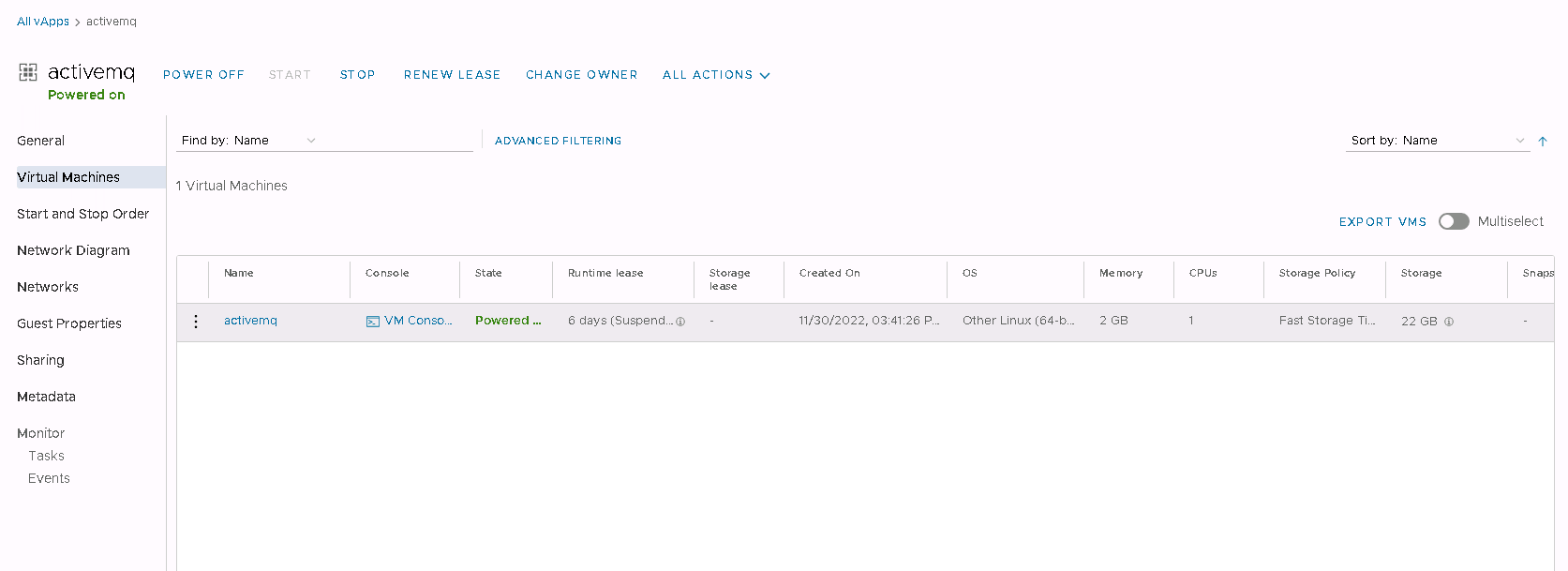
Appointment and management of applications from Launchpad
Tenant has the option to use application templates prepared by Bitnami, available under App LaunchPad.
Open the LaunchPad tab
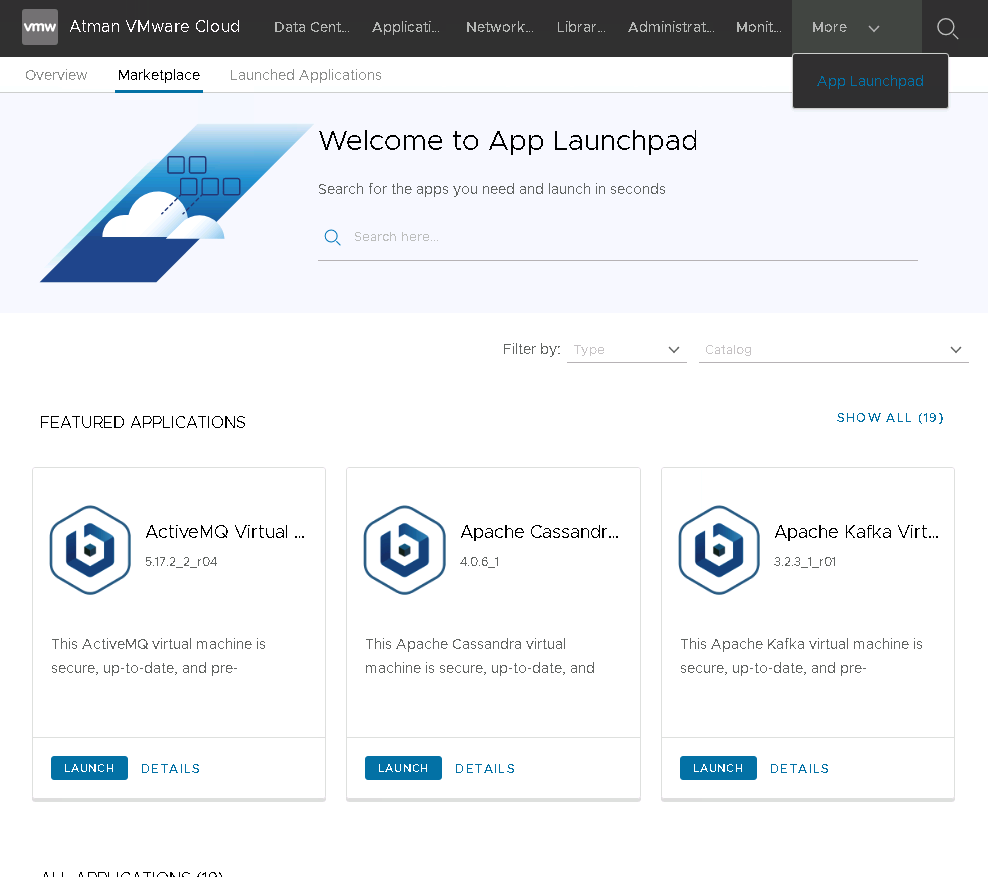
Select SHOW ALL to view all available application templates and on the selected one use Launch to launch or Details to check the application specifications.
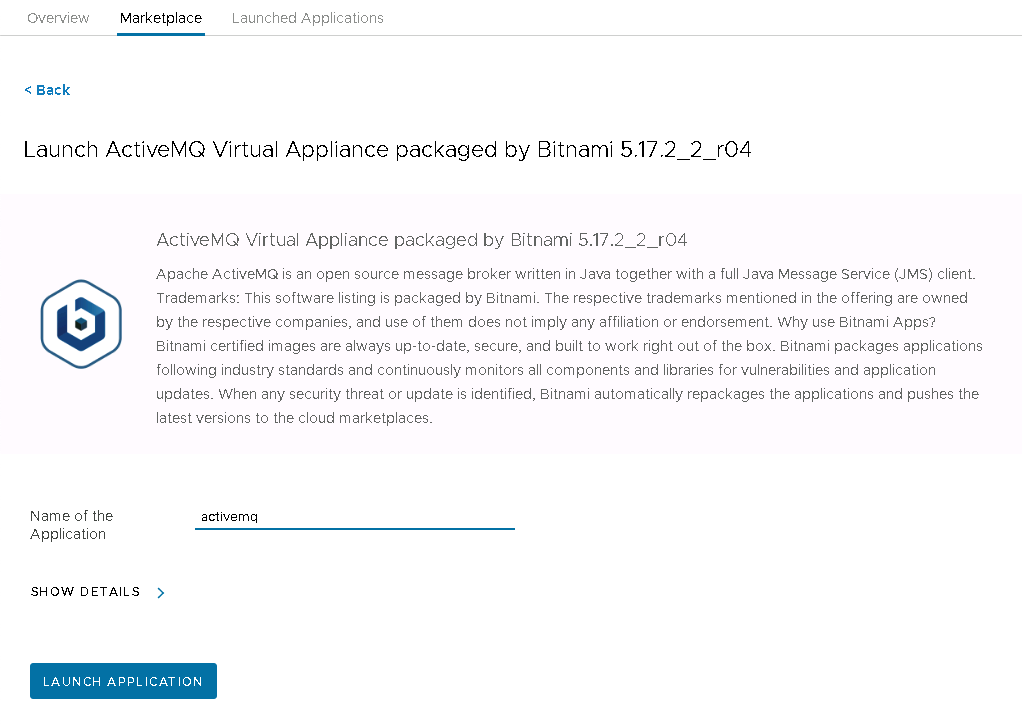
Enter application name and select SHOW DETAILS:
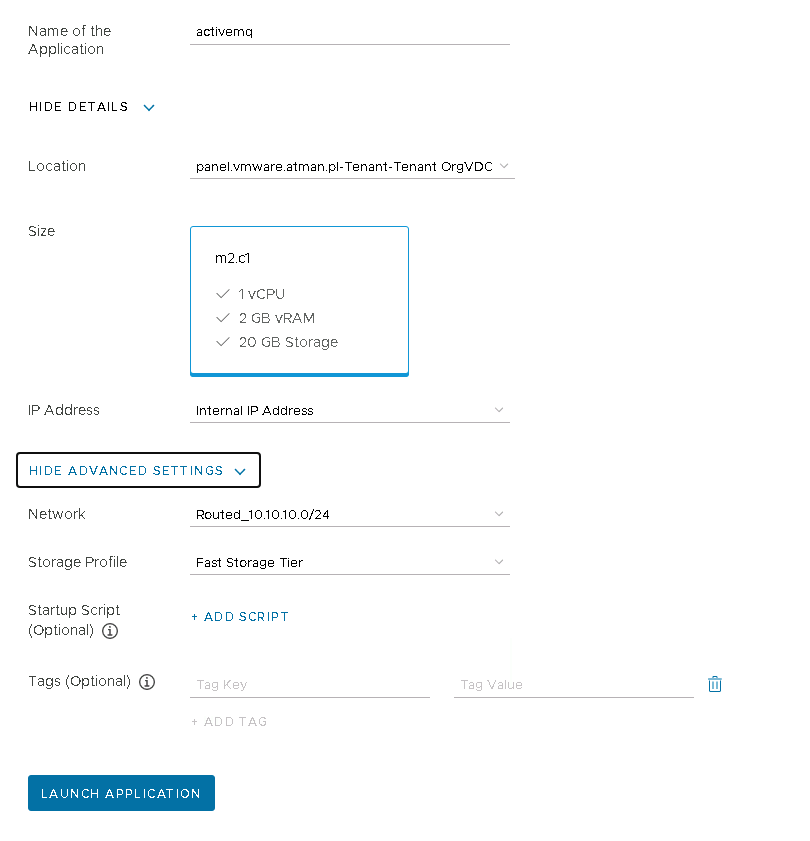
Select the network and Storage Profile for the application and optionally add a run script. Start the application with the LAUNCH APPLICATION button.
The application will automatically be launched.
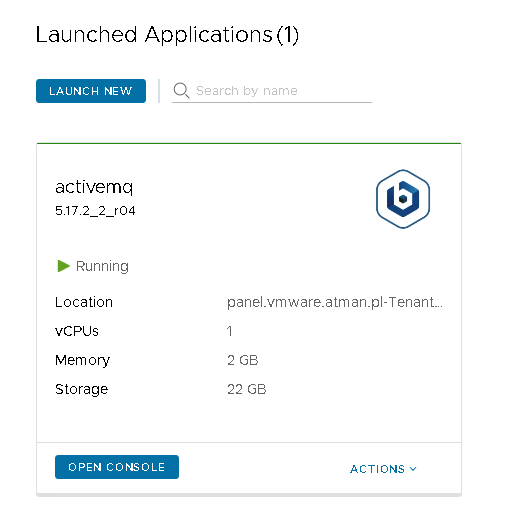
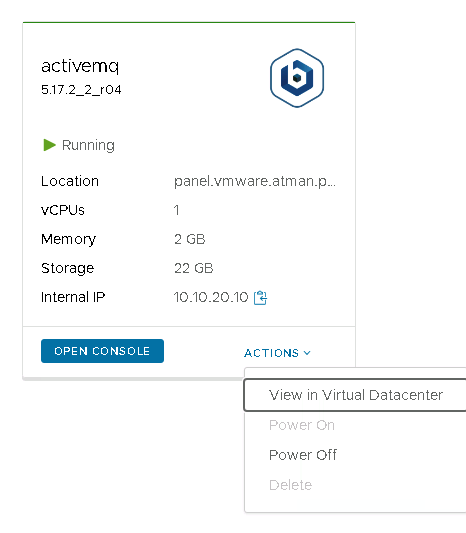
The user has the option to enable, disable and delete applications from the App LaunchPad, as well as to switch to the Virtual Application view in the Virtual Data Centre.
Applications from the AppLaunchPad are created as Virtual Applications with a name specified by Tenant, and a virtual machine name that matches the name of the image the application uses. We recommend changing the name by selecting 3 dots next to the virtual machine in the vApp.
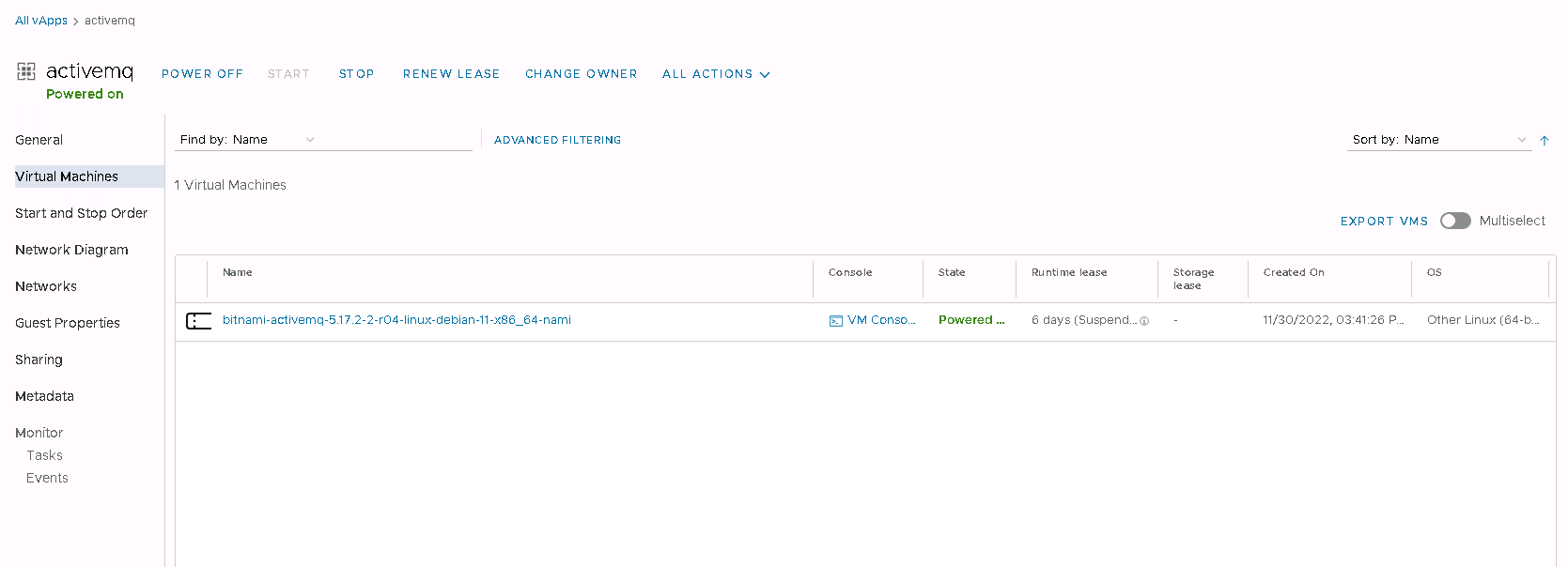
Rename with the Rename option.