Uninstalling the agent
Note: uninstalling the agent involves stopping the backup tasks it performs. To resume data protection tasks, the agent must be reinstalled. If there is no data backup for the server, the licence is released and the machine cannot be restored. If the unit is available on the network, the Commvault software is uninstalled from it and the unit is permanently removed from the CommServe database.
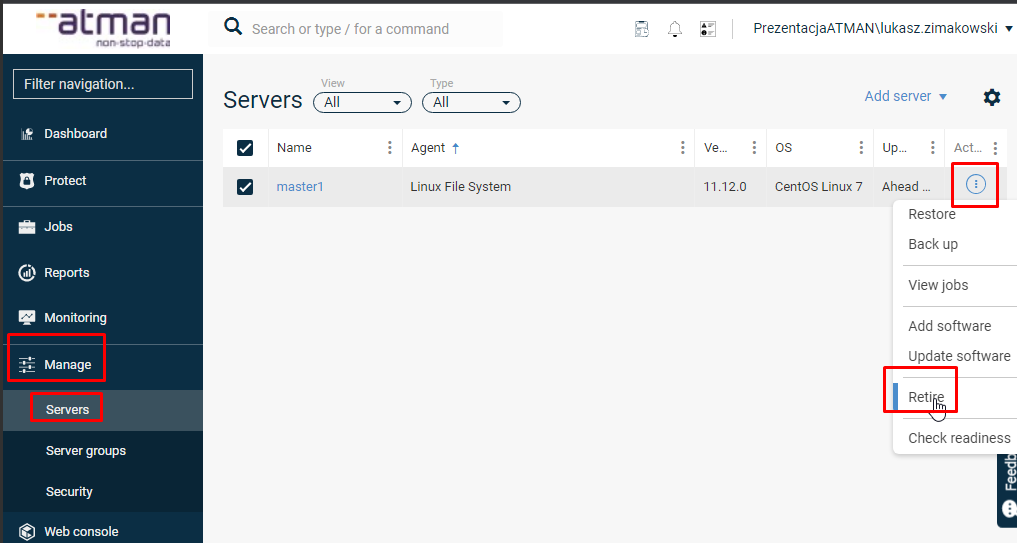
To uninstall the agent, in the main menu we go to the Mange -> Servers tab and then select the client from which we would like to uninstall the application. In the next step, we click the button in the Actions column and select Retire:
Go to the message and click Retire.
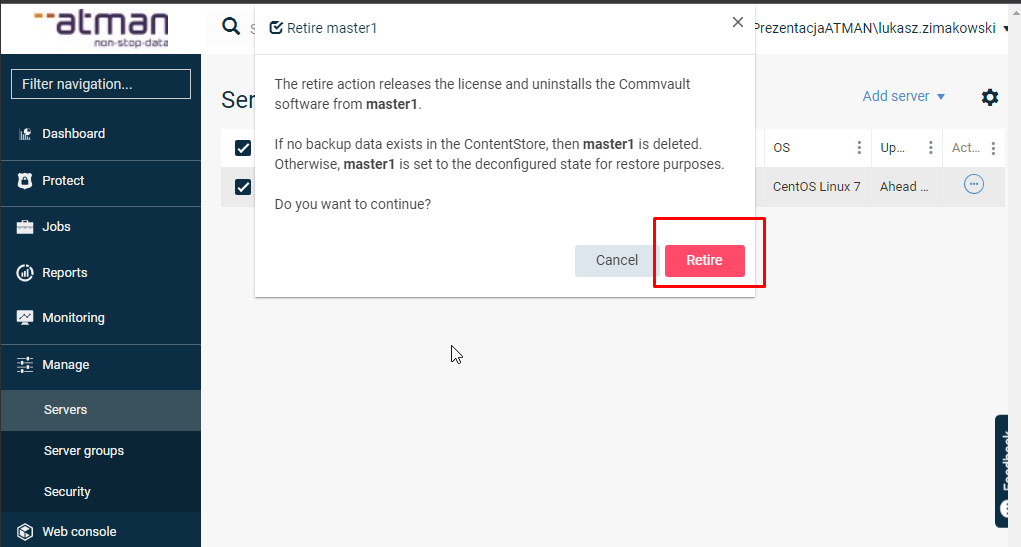
After accepting the selection, we are prompted with the Job number to which we can automatically swear and it takes us to the list of JobsIf we don’t look there immediately we can check later from the Jobs item in the Jobs History tab by clicking on Show admin jobs to see completed or aborted processes.