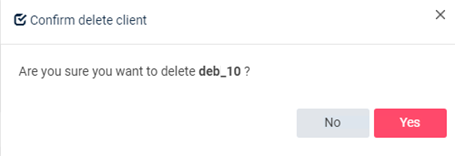
Removing an agent from the system
Requirements: before performing client removal, it is required to uninstall all agents according to the previous section.
Note: deleting the client entails stopping the execution of backup jobs and the inability to perform restores. It also involves deleting all data in the backup repository. Backup can be reconfigured by reinstalling the agent, but it will not be possible to access the data from before the agent was removed from the system.
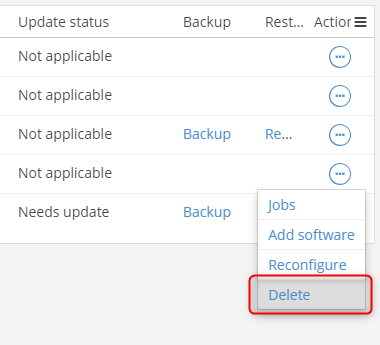
To remove an agent from the system, in the main menu we go to Manage -> Servers and select the client/server we want to remove from the backup system. We then click the button in the Actions column and select Delete:
Confirm the message and you should receive on-screen information that the agent has been successfully removed from the system.