Run on-demand backup
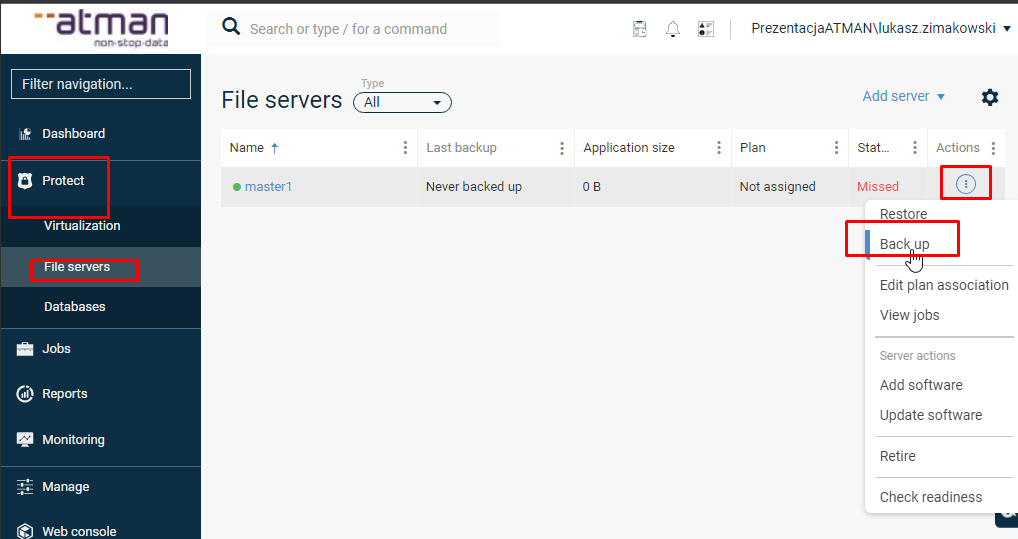
In addition to performing backups automatically, cyclically according to a schedule, it is possible to perform backups on a one-off, on-demand basis. To run such a backup, select the Protect -> File server section from the main menu and then select Back up from the server menu
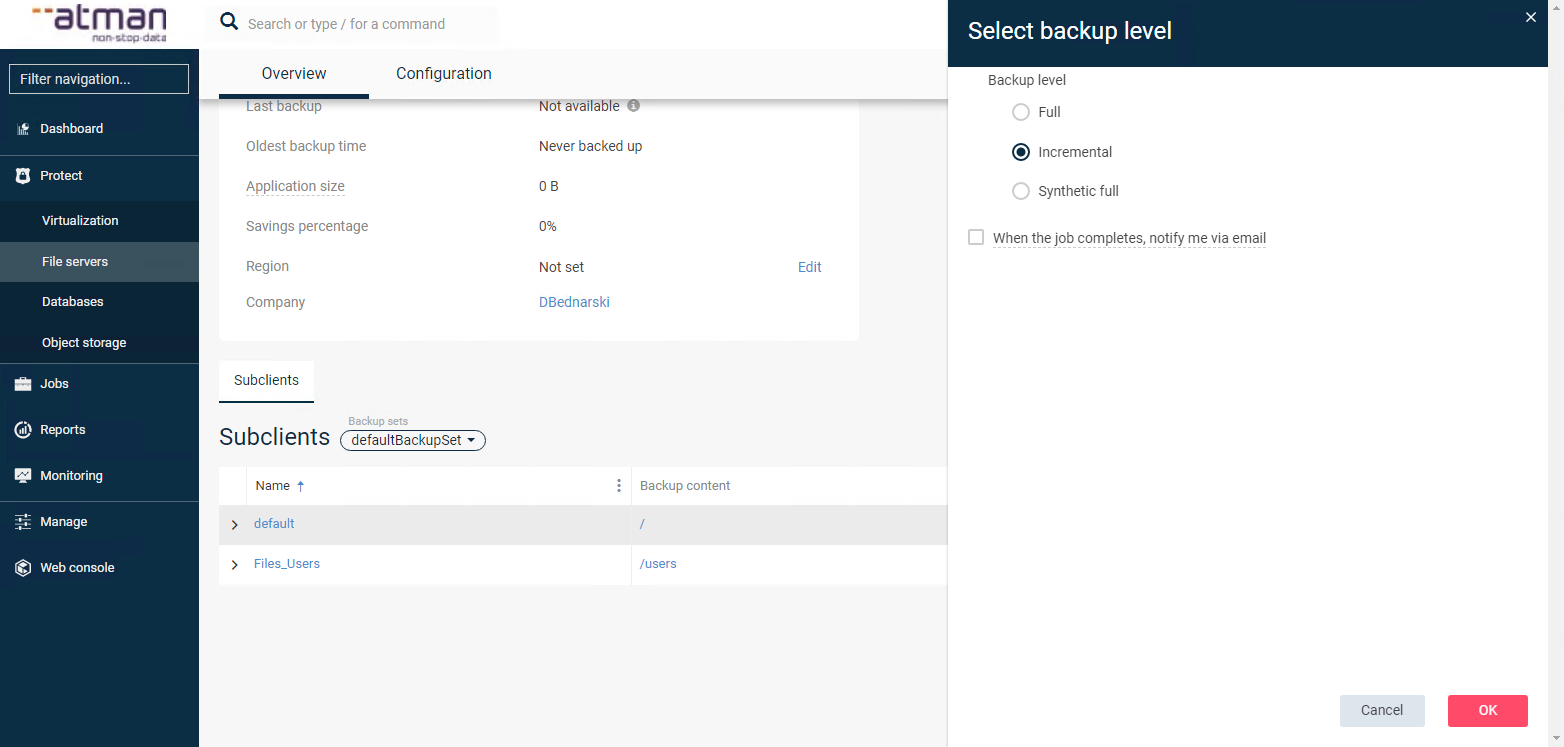
Under Select Backup level, specify which operation you would like to perform (Full - full backup, Incremental - incremental backup).
NOTE - do not use the synthetic full option. In the next step, confirm the selection with the OK button, which will start the task: