API
Preparing the environment to use the API
Atman recommends the api client: python3-openstackclient.
Full online documentation can be found at: https://docs.openstack.org/python-openstackclient/latest/
Sequence of activities:
Installation of the python environment
Installation of python3-openstackclient.
Configuration python3-openstackclient.
Creation of user api in SSO panel/downloading missing information from Horizon panel.
Export of environmental variables
A detailed description of the preparation using a local Linux-Ubuntu machine as an example:
1) Installing the python environment.
On the machine from which the administrator will manage the environment via api, run the command:

2) Installing python-openstackclient.
The next step is to run the command:

3) python-openstackclient configuration.
The next step is to prepare an openrc file with access data. Access is via API accounts created in the administration panel: https://auth.atman.pl.
To create an API account and openrc file, follow the procedure described here: Create API Accounts in SSO
Export of environmental variables
The prepared file is a bash script and its operation is based on setting environment variables that are used by the API client (python3-openstackclient) to communicate with the virtual server environment (project) on the Atman Cloud.
In the Linux environment, the export of these variables is achieved by running a script (command ``source
$ source ~/openrc
$ openstack server list
+--------------------------------------+------------+--------+--------------------------+-------+--------+
| ID                                   | Name       | Status | Networks                 | Image | Flavor |
+--------------------------------------+------------+--------+--------------------------+-------+--------+
| b837a3fe-XXXX-XXXX-XXXX-XXXXXXXXXXXX | sso-ubu-20 | ACTIVE | int-sso=x.x.x.x, y.y.y.y |       | m1.c1  |
+--------------------------------------+------------+--------+--------------------------+-------+--------+
$
Once the password has been entered, all the variables necessary for the use of API are already set:
export OS_AUTH_URL=https://waw1-b.cloud.atman.pl:5000/v3
export OS_IDENTITY_PROVIDER="sso_idp"
export OS_PROTOCOL="jwt_token"
export OS_AUTH_TYPE="v3oidcclientcredentials"
export OS_ACCESS_TOKEN_ENDPOINT="https://auth.atman.pl/api/oauth/token"
export OS_PROJECT_DOMAIN_ID="ceab97173f4e43fab1078f2615bcd15c"
export OS_REGION_NAME="ATMAN_WAW1_B"
export OS_INTERFACE=public
export OS_IDENTITY_API_VERSION=3

#poniższe ustawienia są zmienne

export OS_CLIENT_ID="api_xxxxxxxxx"
export OS_CLIENT_SECRET="xxxxxxxxxxxxxxxxxxxxxxx"
export OS_PROJECT_ID="3f12xxxxxxxxxxxxxxx"
export OS_PROJECT_NAME="test-xxxxxxxxxx-1"
export OS_USERNAME="sub.xxxxxx"
Each time a new session is held, the variables must be set in the same way.
Communication between the environment on the Atman Cloud and the terminal, from which the administrator manages via the API, takes place in the form of encrypted transmission (HTTPS protocol).
In the case of an administration terminal supported by a different operating system (different Linux distribution, Mac OS X, Windows) - the details of the steps described will differ, while the concept remains the same: installing the python environment, installing the python3-openstackclient, retrieving values for environment variables from the Horizon panel.
The client/API is ready for use.
A list of all referrals is available at: https://docs.openstack.org/python-openstackclient/latest/cli/command-list.html
Description of the preparation using the example of a local Windows machine
Sequence of activities:
Installation of the python environment
Installation of git (we will use shell to authorise and then use the tool)
Installation pip
Installation of Visual Studio (needed to provide components including Microsoft Visual C++)
Installation of the openstack client
1) Installing the python environment.
On the machine from which the administrator will manage the environment via the api, the Python package must be downloaded and then instantiated. The latest version can be found here: https://www.python.org/downloads/
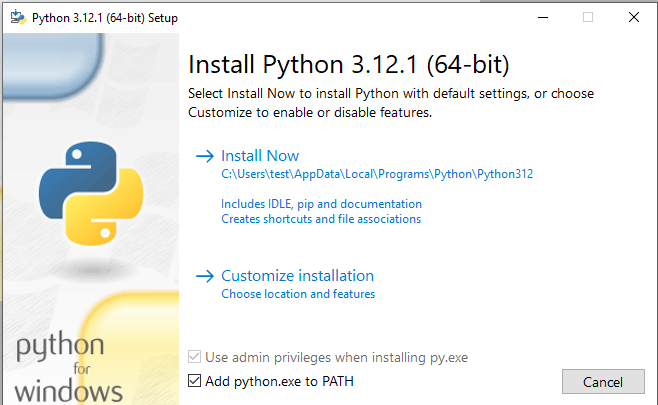
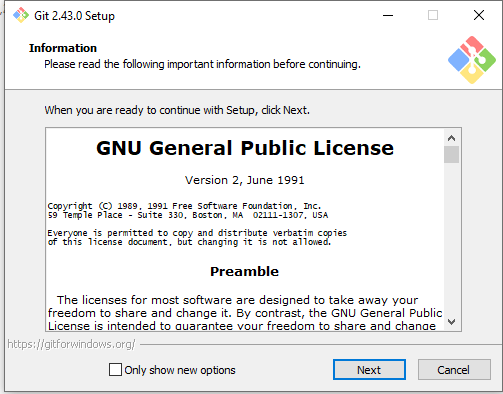
2) Installing git. We then download and install git: https://git-scm.com/downloads
3) Pip installation.
Download the file from https://bootstrap.pypa.io/get-pip.py
Then run it with run file as.
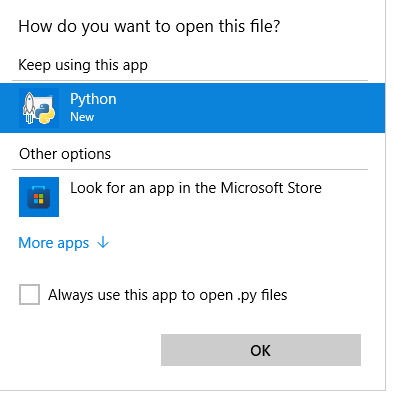
Or run from the console
python get-pip.py
4) Visual Studio installation.
Download the application: https://visualstudio.microsoft.com/downloads/
Remember to check the option Desktop development with C++.
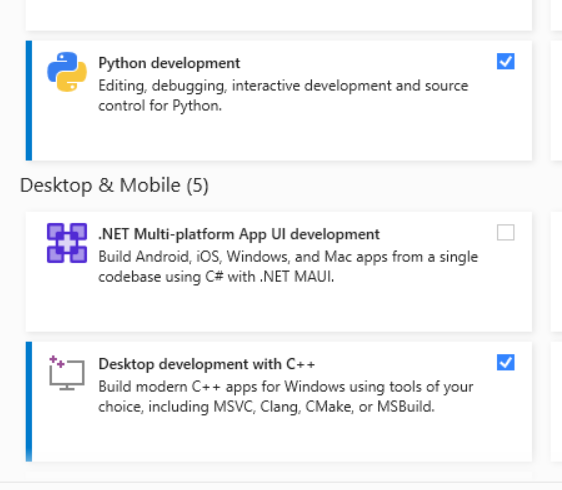
5) Installing the Openstack client
pip install python-openstackclient
6) Configuration and commissioning
Copy the
openrcfile.We start the Git Bash program
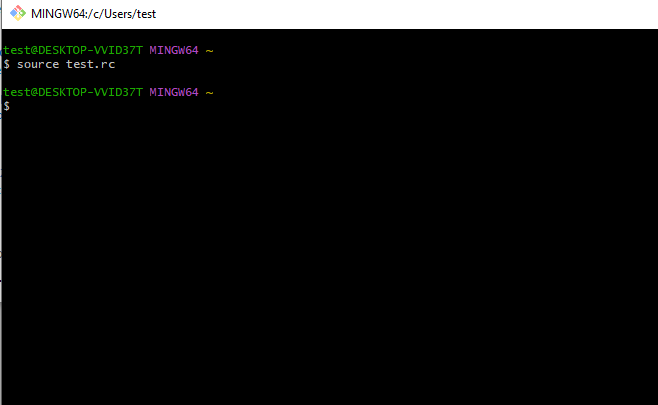
We activate the environment variables
At this point, the customer should be correctly authorised.