Router
Creating a router
When preparing an environment consisting of a router, an internal network and machines, it is worth bearing in mind the order of creation, known as the ‘order of creation’:
creation of a router,
setting up an internal network and connecting it to the router,
creation of an internal network (see also: autogeneration of root password, dhcp of internal network).
STEP 1
On the Project -> Network -> Routers screen, click CREATE ROUTER.
STEP 2
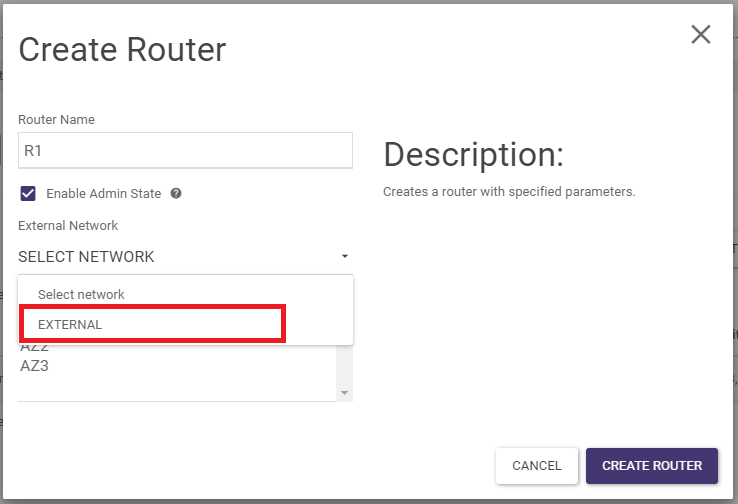
In the wizard, give a name and connect the external network, then confirm by clicking Create Router:
Addition of LAN interface
STEP 1
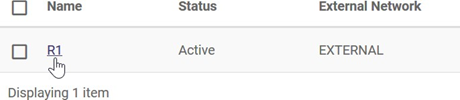
Click on the name of the router in the list:
STEP 2
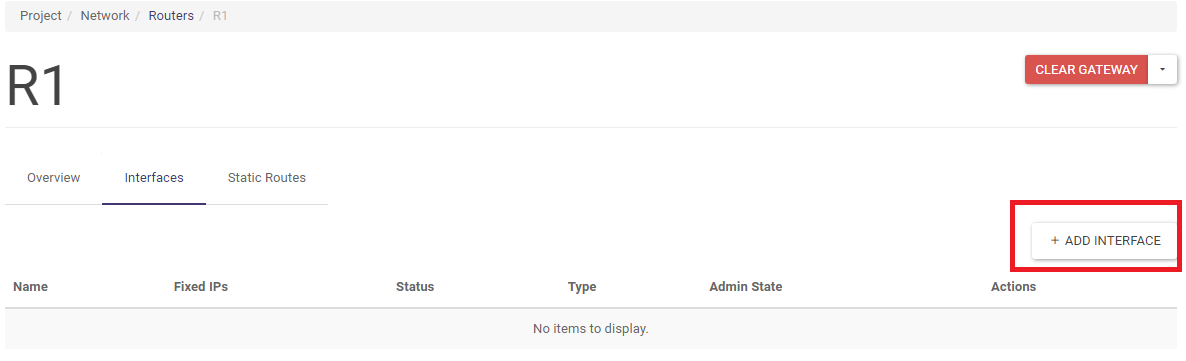
Once in the Interfaces tab, click ADD INTERFACE.
STEP 3
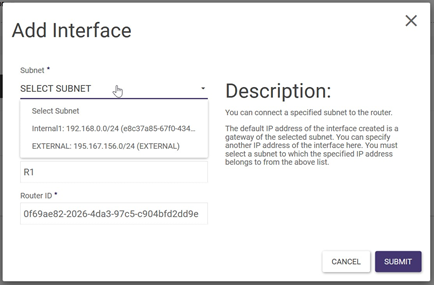
In the wizard, select the previously created internal network and then confirm with SUBMIT:
Removal of the router
To remove the router, all dependencies must first be removed:
STEP 1
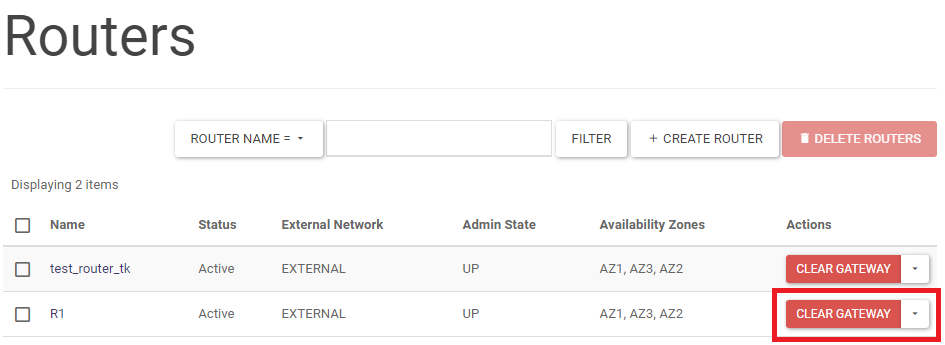
On the right-hand side in the Project -> Network -> Routers screen, in the list of activities select CLEAR GATEWAY.
STEP 2
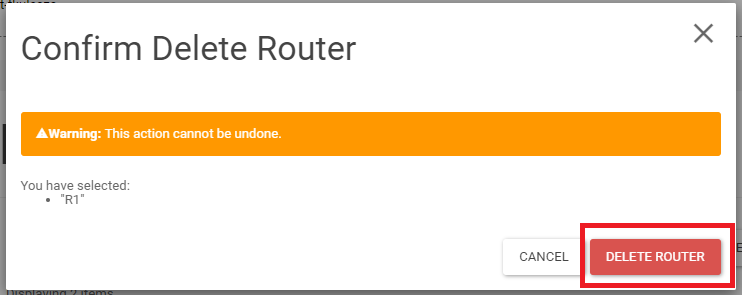
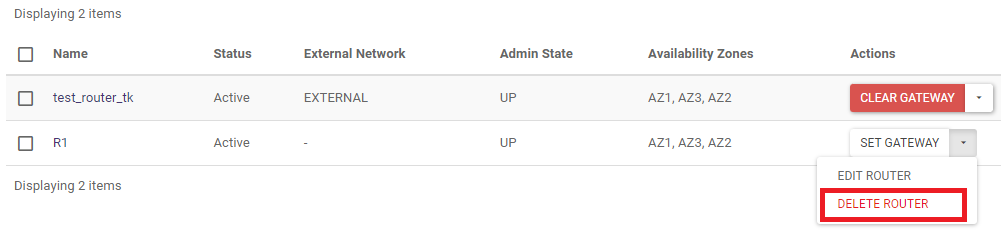
Select DELETE ROUTER from the list of actions.
STEP 3
Then confirm the change with the DELETE ROUTER button.