Creation of a TERMINATED_HTTPS (SSL) load balancer
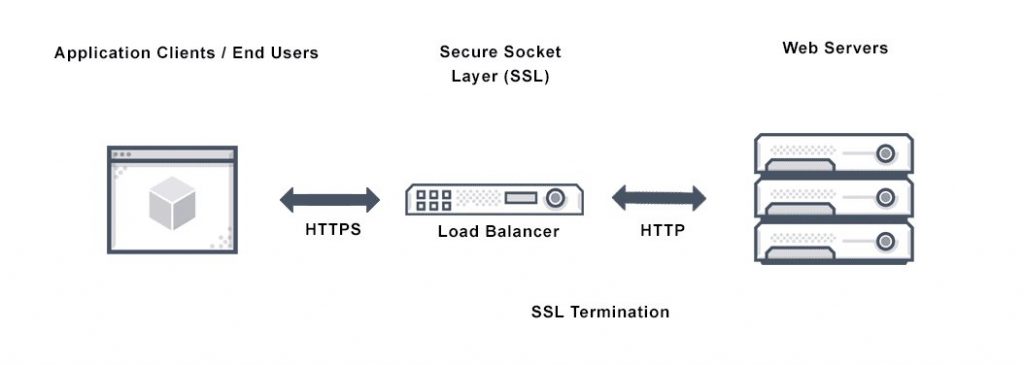
In the Atman Cloud service, it is possible to terminate the SSL loadbalancer, the principle of which is presented in the figure below.
The process of creating such a loadbalancer consists of two phases:
Creation of a key container that will store the certificate and the private key
Creating a TERMINATED_HTTPS loadbalancer and assigning the previously created key container to it
Creating a key container
The creation of a key container is only possible from the CLI. Our user must have permissions to create keys(if our user does not have such permissions, please contact your account manager). In addition, we must have the CLI for the barbican service adapted to support python version 3: https://pkgs.org/download/python3-barbicanclient
TLS: the certificate, key and intermediate certificate chain must comply with the following:
should be received from an external CA (Certificate Authority)
Key and certificate must be encoded with PEM and intermediate certificate chain must be the concatenation of all intermediate certificates, encoded with PEM
The key must not be locked
With the certificates and key thus prepared (for the purposes of the examples, let’s call the certificate server.crt and the key server.key), we create two keys:
barbican secret store --payload-content-type='text/plain' --name='certificate_terminated_https' --payload="$(cat /path/to/server.crt)"
barbican secret store --payload-content-type='text/plain' --name='key_terminated_https' --payload="$(cat /path/to/server.key)"
And at the very end, we create a key container from them:
barbican secret container create --name="tls_container_terminated_https" --type="certificate" --secret="certificate=$(barbican secret list -s opaque | awk '/ certificate_terminated_https / {print $2}')" --secret="private_key=$(barbican secret list -s opaque | awk '/ key_terminated_https / {print $2}')"
Creation of a load balancer
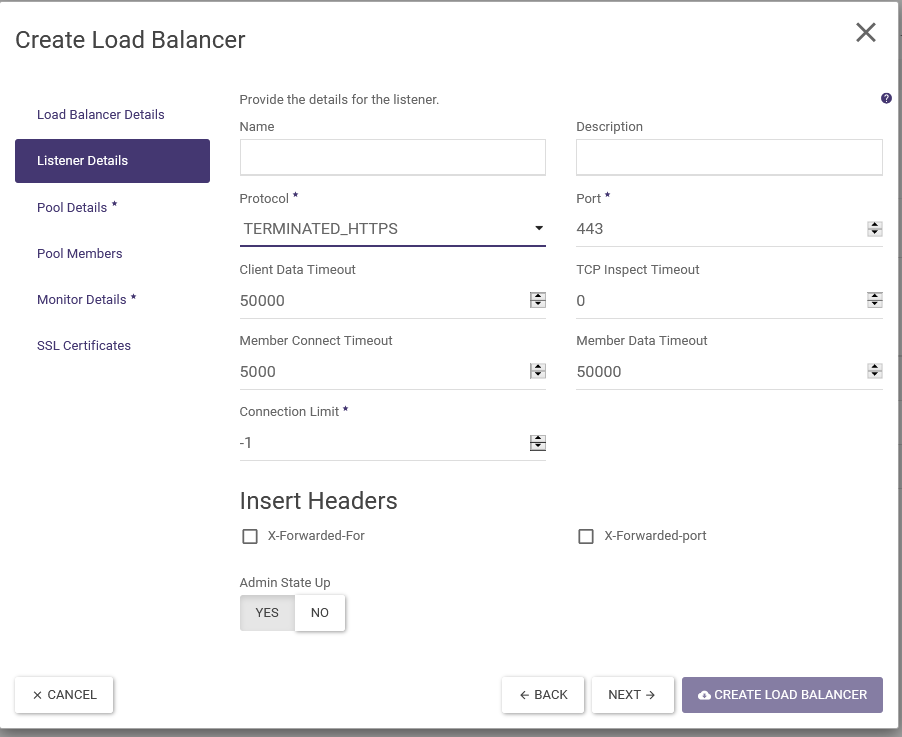
The creation of the loadbalancer is done in the same way as before. The only difference is the selection of the listener type. The TERMINATED_HTTPS option must be selected:
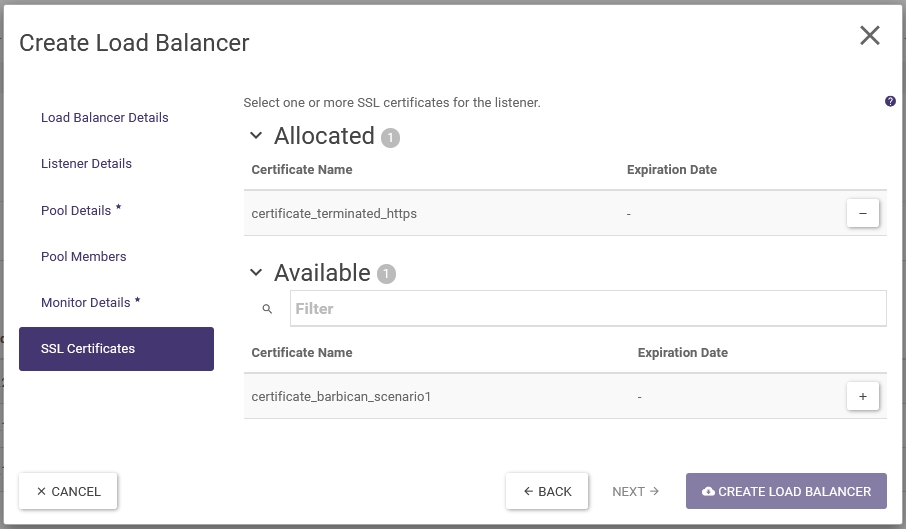
After filling in all the desired settings, select the previously created SSL certificate:
And create a load balancer using the Create Load Balancer button